Quick answer: AI video models are becoming one of the hottest creator-tech choices of 2026 because MiniMax/Hailuo, ByteDance Seedance, OpenAI Sora, Google Veo, Runway, Pika, and other tools are all pushing text-to-video, image-to-video, and editing workflows forward. The right choice is not simply the model with the most impressive demo. Creators should choose by access, clip quality, prompt control, editability, cost, commercial terms, synthetic-content disclosure, copyright risk, and how easily the output can be reviewed before it reaches YouTube, TikTok, Instagram, ads, client work, or a brand channel.
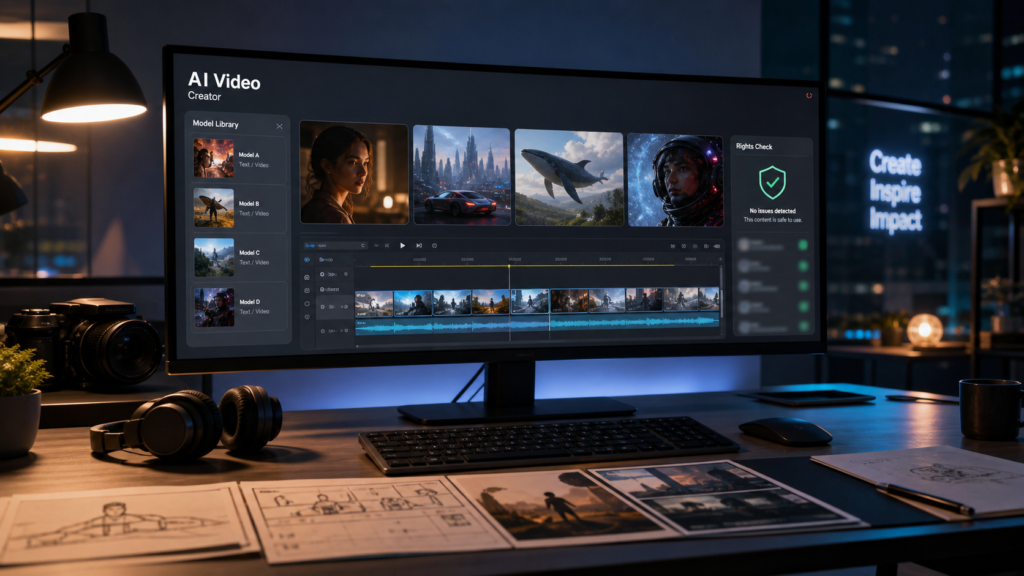
This is a useful moment for abcnote readers because the AI video race connects several recent AI themes at once: model rankings, API cost, search visibility, creator workflow, and safety review. If you are choosing tools for a real workflow, pair this guide with abcnote’sAI API cost guide, and AI agent security checklist. Video generation can look like a creative shortcut, but publishing still needs human judgment.
The checked-date point matters. This article was prepared on July 31, 2026, after a fresh news cluster around MiniMax H3, ByteDance Seedance, and the broader AI video race. Capabilities, access rules, pricing, and safety policies can change quickly. Treat the tool names as a current map, then verify the official product page and terms before relying on any model for client or commercial work.
AI video models 2026: what changed
The first wave of AI video attention was mostly about surprise: a short clip looked cinematic, a character moved, or a camera shot felt expensive. The 2026 question is more practical. Can a creator use the model repeatedly? Can a marketer keep a campaign consistent? Can a teacher or small business owner generate useful clips without spending days fixing artifacts? Can a brand prove that the output is safe to publish?
MiniMax and its Hailuo product path matter because they show how fast competitive video tools are spreading outside the usual U.S. frontier-model names. ByteDance Seedance matters because ByteDance already understands short-video platforms, creator behavior, and recommendation-driven media. Sora and Veo matter because OpenAI and Google connect video models to broad AI ecosystems. Runway and Pika matter because many creators already know them as practical video-generation and editing tools.
The race is no longer a demo race
Creators now care about repeatability, editing control, workflow speed, cost, export quality, and review tools.
China-based models are serious contenders
MiniMax/Hailuo and ByteDance Seedance show that the AI video market is broader than Sora and Veo.
Platform context matters
A model connected to social video, cloud AI, or creator suites may be easier to use than a model with isolated demos.
Legal and policy checks matter
Synthetic-content disclosure, copyright, likeness, music, logos, and training-data debates all affect real publishing.
MiniMax H3 and Hailuo: why creators are watching
MiniMax has been watched closely because Hailuo-style video generation gives creators a fast way to turn prompts and images into moving clips. The interesting part is not only whether one demo looks realistic. It is whether the workflow lets a creator explore variations quickly, lock a visual direction, and export something that can become a social clip, ad concept, storyboard, or B-roll idea.
For a creator, MiniMax should be evaluated like a production tool. Test faces, hands, camera motion, text in scenes, product shots, brand colors, and scene continuity. Try the same prompt several times. Try a product photo. Try a scene with people. Try a clip that needs clear motion, not only atmosphere. The best demo is the one that survives your own repeat tests.
Best-fit use case
Fast concept clips, social-video ideation, mood boards, product-style motion tests, and storyboarding.
What to verify
Official access, usage terms, export options, watermark behavior, commercial-use language, and content policy.
Main risk
A beautiful one-off clip can hide weak control, inconsistent characters, or unclear rights for commercial work.
Practical test
Run three prompts from your actual niche, not generic fantasy or cityscape prompts that every model handles well.
ByteDance Seedance: why platform DNA matters
ByteDance’s Seedance direction is important because ByteDance is not only an AI lab. It comes from a company deeply connected to short-video culture, mobile creation, recommendation systems, and creator tooling. That does not automatically make Seedance the best model, but it changes what builders should watch. A video model becomes more powerful when it fits the way people actually publish and remix media.
Creators should look for practical signals: speed, mobile workflow, social-video aspect ratios, prompt-to-edit loop, style consistency, and whether the tool helps make many variants quickly. A polished cinematic model is useful. A model that helps produce, revise, and test several short clips for different platforms may be more useful for everyday creators.
Best-fit use case
Short-form video ideation, fast variant generation, creator campaigns, mobile-first drafts, and trend-responsive clips.
What to verify
Availability by country, creator-account access, export controls, moderation rules, and exact commercial terms.
Main risk
Platform strength does not remove copyright, likeness, music, or disclosure obligations.
Practical test
Generate the same idea in 9:16, 1:1, and 16:9 formats, then judge whether the story still works.
Sora and Veo: why frontier ecosystems still matter
Sora and Veo remain important because OpenAI and Google can connect video generation to broader AI ecosystems, developer platforms, search, cloud workflows, and enterprise controls. For some creators, that ecosystem matters more than any single clip. A team may want prompt history, asset management, brand controls, API integration, safety policies, or a path from script to storyboard to video to campaign analysis.
That said, frontier ecosystem strength does not mean the tool should be used blindly. Official access, pricing, generation limits, data policies, output rights, synthetic disclosure, and content restrictions still need to be checked. If a video model is powerful but locked behind limited access, high cost, or narrow policies, it may be a research signal rather than the best daily tool for a small creator.
Sora signal
Watch for OpenAI ecosystem integration, quality, prompt control, safety policy, and how Sora connects with broader creation workflows.
Veo signal
Watch for Google ecosystem integration, YouTube-adjacent policy alignment, cloud tooling, and official model updates.
Creator question
Does the model help you publish more safely and consistently, or does it only make impressive isolated clips?
Builder question
Can the workflow be measured, budgeted, logged, and reviewed like any other AI production system?
How to choose AI video models without a dense table
A dense comparison table looks efficient on desktop and often becomes painful on a phone. For AI video, cards are usually better because the real decision is multidimensional: quality, motion, control, cost, access, review, rights, and platform fit. Use the cards below as a mobile-safe decision structure.
Choose MiniMax/Hailuo when
You want fast creative exploration, visually ambitious clips, and a serious non-U.S. contender to test against Sora, Veo, Runway, and Pika.
Choose Seedance when
You care about short-video workflow, mobile-first creative loops, variant testing, and platform-style content velocity.
Choose Sora when
OpenAI ecosystem fit, frontier quality, workflow integration, and safety controls matter more than simply trying the newest model.
Choose Veo when
Google ecosystem fit, video platform awareness, cloud workflow, and official model continuity are important.
Choose Runway or Pika when
You need creator-friendly controls, familiar editing workflows, and tools already built around practical production.
Choose none yet when
Your work needs guaranteed rights, exact logos, exact product claims, real people, regulated content, or client approval without a review process.
The copyright and disclosure checklist
The most important AI video question is often not “Can it generate the clip?” It is “Can I publish the clip with confidence?” AI video can raise issues around copyrighted characters, film-like styles, celebrity likeness, music, trademarks, product logos, training-data debates, synthetic-content disclosure, and platform policies. This article is not legal advice, but the practical checklist below should be part of every creator workflow.
YouTube already provides guidance for disclosing altered or synthetic content. Adobe’s Content Authenticity Initiative and the C2PA standard also show where the market is heading: provenance, disclosure, and authenticity signals will matter more as generated media becomes harder to recognize. Creators who build a review habit now will be less exposed later.
Avoid protected characters
Do not prompt for copyrighted characters, movie scenes, celebrity lookalikes, or brand mascots unless you have permission.
Check likeness rights
Real people’s faces, voices, and identities are sensitive. Get consent, especially for ads, politics, health, finance, or client work.
Review logos and products
Generated logos, packaging, or product claims can create trademark and false-advertising problems.
Disclose synthetic media
Follow platform rules for altered or synthetic content, especially if a realistic clip could mislead viewers.
Track source inputs
Save prompts, reference images, licenses, music sources, voice permissions, and editing steps.
Use human approval
No AI video should go directly from generation to public campaign without a human rights and brand-safety review.
A simple creator workflow
A practical AI video workflow should separate exploration from publication. In the exploration phase, generate ideas freely within policy. In the production phase, narrow the concept, rewrite the prompt, remove risky references, check assets, and produce variants. In the approval phase, review rights, disclosure, visual accuracy, brand fit, accessibility, and platform rules. This is slower than posting the first cool clip, but it is much safer.
If the clip is for a personal brainstorm, the bar is lower. If it is for a brand, client, classroom, product launch, paid ad, monetized channel, or news-like explanation, the bar is higher. The more public and commercial the use, the more documentation you need.
1. Draft the concept
Write the story in plain language before prompting. Decide who the clip is for and what the viewer should understand.
2. Generate safe variants
Avoid names, logos, copyrighted worlds, famous people, and real private locations unless you have rights.
3. Select by usefulness
Pick the clip that communicates the point, not only the one with the most dramatic camera move.
4. Edit outside the model
Use normal editing tools for captions, cuts, brand templates, voiceover, audio levels, and accessibility.
5. Run rights review
Check likeness, trademark, music, disclosure, platform policy, and whether the clip could mislead viewers.
6. Archive evidence
Save prompt, tool name, checked date, source assets, license notes, and approval status.
Cost: why AI video can surprise creators
AI video costs are easy to underestimate because creators iterate visually. One text prompt may become five attempts, then three aspect ratios, then a longer version, then an upscaled version, then a re-edit. Even if a platform hides the cost behind credits or a subscription, the real cost is still the total workflow: generation, retries, storage, editing time, and unusable outputs.
For teams, the same cost logic from abcnote’s AI API cost coverage applies. Set limits before the workflow becomes popular. Track cost per usable clip, not cost per generation. Separate rough ideation from final production. Use cheaper tools for early exploration only if the quality is good enough to reduce total time.
Track usable output
If twenty generations produce one usable clip, the cost is the whole batch, not the winning clip.
Cap retries
Set a maximum number of attempts before changing the concept or switching tools.
Use aspect-ratio planning
Decide whether you need 9:16, 16:9, or 1:1 before generating too many variants.
Budget review time
Human editing and rights review are part of the cost, especially for client or brand work.
Quality tests that matter more than demos
AI video demos are selected. Your workflow is not. A fair test should use ordinary prompts from your niche and repeat them several times. If you make travel videos, test crowds, food, signs, transit, and weather. If you make product videos, test packaging, hands, close-ups, reflections, and brand-safe backgrounds. If you make education videos, test diagrams, captions, clear steps, and factual visuals.
Also test boring scenes. Many models look great with cinematic fantasy prompts and struggle with ordinary business or instructional shots. A creator who needs explainers, tutorials, ads, or local business content should care more about stable normal clips than viral demo shots.
Motion consistency
Watch hands, objects, camera movement, walking, water, vehicles, and object permanence.
Prompt obedience
Check whether the model follows the subject, style, setting, aspect ratio, and negative constraints.
Text and signage
Avoid relying on generated text in the scene. Add important text later in an editor.
Character continuity
If a person or product must stay consistent, test multiple shots before committing.
Editability
A slightly less impressive clip may be better if it is easier to cut, caption, and combine.
Policy fit
A tool that blocks risky prompts clearly may be more useful for brand work than a tool that surprises you later.
AI video models and search visibility
AI video is not only a production tool. It also affects discovery. Search engines, AI answer systems, social feeds, and video platforms are all trying to understand synthetic media. For creators, the winning strategy is not to flood the web with generic AI clips. It is to use AI video where it improves the explanation, demonstration, or story.
For SEO and AI-search visibility, the page around the video still matters: title, transcript, captions, sources, context, original commentary, and useful comparison details. A generated clip without a strong article, caption, or explanation is thin media. A generated clip that supports a useful guide can make the page more engaging.
Use transcripts
Add captions and transcripts so people and search systems can understand the content.
Add checked context
Explain what was generated, what was edited, and what source information supports the claim.
Avoid generic clips
A pretty AI video that says nothing new is weak content.
Support the article
Use video to clarify the core takeaway, not to decorate a page.
When to wait instead of switching tools
The hottest AI video model may not be the right tool today. Wait if your use case depends on exact product accuracy, licensed characters, consistent actors, regulated claims, medical or financial persuasion, political realism, or anything that could deceive viewers. Wait if the terms are unclear. Wait if the tool does not provide enough disclosure or archive support for your organization.
Creators can still experiment privately while waiting. Use the tools for mood boards, draft scenes, classroom demonstrations, internal storyboards, and idea generation. Keep the public output conservative until the rights, quality, and workflow checks are clear.
Use now
Concept art, internal storyboards, social drafts, mood boards, non-deceptive educational visuals, and clearly synthetic clips.
Use carefully
Brand ads, client work, product demos, realistic people, voice cloning, news-like scenes, and travel or event clips.
Avoid for now
Unlicensed celebrities, copyrighted characters, medical claims, financial promises, political persuasion, and hidden synthetic realism.
Review again
Recheck official terms, platform rules, and model quality before turning experiments into a repeat production system.
A practical verdict
MiniMax/Hailuo and ByteDance Seedance make the AI video race feel much broader and faster than a simple Sora-versus-Veo story. For creators, that is good news because competition should improve quality, speed, access, and pricing. It is also a warning because more tools make it easier to publish risky clips before the workflow is ready.
The best choice in 2026 is the model that fits your publishing job and your review process. Use MiniMax or Seedance as serious challengers to test, not just headlines to read. Keep Sora and Veo on the shortlist when ecosystem quality and official roadmaps matter. Keep Runway and Pika in the practical creator conversation. Then judge all of them by your own prompts, your own budget, and your own rights checklist.
Sources checked
- MiniMax official site
- Hailuo AI official site
- ByteDance Seed official site
- OpenAI Sora official page
- Google DeepMind Veo page
- YouTube Help: altered or synthetic content disclosure
- Adobe Content Authenticity Initiative
- C2PA official specification site
- U.S. Copyright Office AI initiative
- NIST AI Risk Management Framework
- Runway official site
- Pika official site
An edit request reveals more than the best generated clip
Imagine producing an eight-second product clip, then changing one object color while keeping camera movement and timing. Evaluate both the first output and the requested revision under the same brief.
| Situation | Next check | Why it changes the decision |
|---|---|---|
| First clip looks good | Inspect subject continuity and the requested constraints. | A striking frame does not establish a usable sequence. |
| Revision changes unrelated details | Count the rework needed to restore the brief. | Consistency can matter more than initial visual appeal. |
| License or input rights are unclear | Resolve the intended commercial use before publishing. | Output quality does not establish permission. |
Use failed generations and revisions in the cost calculation. The eight-second brief is illustrative and makes no claim about any model's limits, price, or quality. Keep model version and settings with the comparison.