Quick answer: AirTag smart luggage is useful for Korea travel if you treat it as a confidence tool, not a recovery guarantee. Put a tracker inside the checked bag, not hanging loosely outside. Keep your airline baggage receipt, photograph the suitcase, understand lithium-battery rules for any powered smart bag, and know that a Bluetooth tracker shows last-known or nearby-network location, not a private GPS feed. For most travelers flying through Incheon, Gimpo, Busan, or Jeju, the best setup is an AirTag or similar Bluetooth tracker, working mobile data, offline screenshots, airline baggage reporting, and a small arrival plan if the bag does not appear.
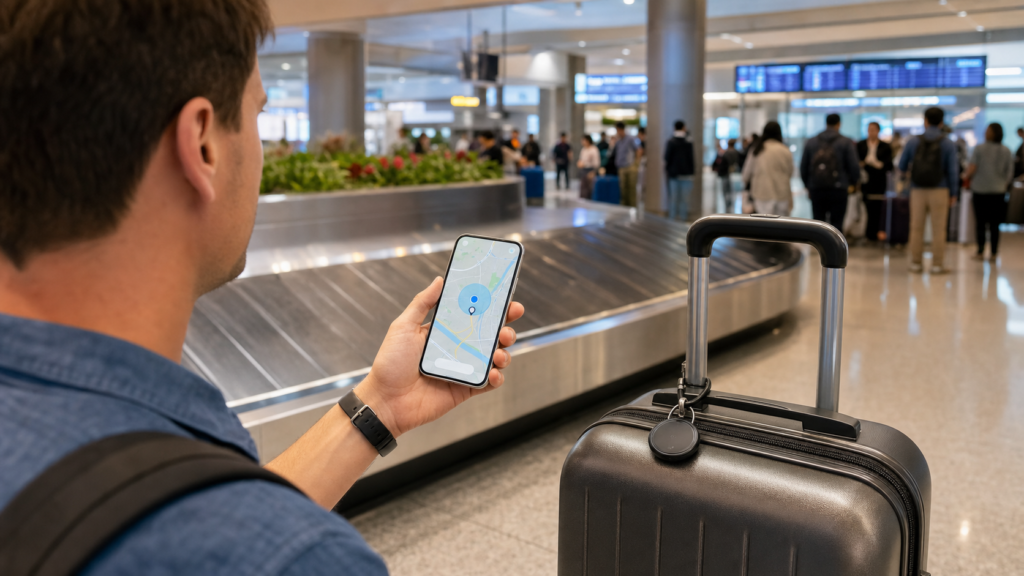
This guide is for American travelers visiting Korea, Korean Americans visiting family, students, business travelers, parents managing multiple suitcases, and anyone carrying camera gear, gifts, medicine-adjacent personal items, sports gear, or winter clothing through a long international itinerary. The goal is not to turn a suitcase into a spy device. The goal is to reduce uncertainty at the carousel, avoid bad battery decisions, and know exactly what to do when the airline and the tracker seem to tell different stories.
Travel tech works best when it connects to the rest of the trip. A tracker is much easier to use if your phone has data, so abcnote’s Korea eSIM or pocket Wi-Fi guide is the natural first companion. If the bag arrives but you still need to navigate from the airport to the city, pair this with abcnote’s Korea subway apps guide. If you need to explain a lost bag, damaged handle, hotel address, or taxi destination in Korea, abcnote’s Korea translation apps guide makes the tracker more useful in real life.
AirTag smart luggage in one minute
| Question | Practical answer | Why it matters |
|---|---|---|
| Is an AirTag allowed in checked luggage? | A coin-cell Bluetooth tracker is generally treated differently from a powered smart bag, but travelers should still check airline and country rules before departure. | The big compliance issue is usually lithium batteries in devices and smart luggage, not the idea of tracking a bag. |
| Is it GPS? | No. AirTag-style devices use Bluetooth and a nearby-device network to update location. | The map can lag, especially in airports, storage rooms, aircraft holds, and areas with few compatible devices nearby. |
| Where should it go? | Inside the bag, in a pocket, liner, pouch, or hidden compartment. | External tags can break off or attract attention. Internal placement protects the tracker. |
| What should I do at the carousel? | Check the airline app and baggage receipt first, then use the tracker as supporting evidence. | Airport and airline staff need official baggage information, not only a screenshot from a tracker app. |
| What if it shows the bag still at the origin airport? | Report the bag through the airline before leaving the airport and keep the claim record. | A tracker screenshot may help the conversation, but the official delayed-bag process still matters. |
| Should I confront someone if the tracker moves? | No. Contact airline, airport, hotel, or local authorities as appropriate. | Personal confrontation creates safety and legal risk. |
Why luggage tracking became a real travel-tech habit
International travel has become more app-based, but baggage is still physical. Flights get delayed, bags miss connections, weather changes routing, carousels shift, and travelers often move faster than the airline’s baggage-status system. A small tracker does not solve those problems, but it gives the traveler one more signal. That signal is especially helpful on Korea trips because arrival days often involve a long airport transfer, hotel check-in, SIM/eSIM setup, translation-app setup, and jet lag.
The best use case is calm decision-making. If the airline says the bag is delayed and the tracker still appears at the transfer airport, you can file the claim with better notes. If the tracker appears somewhere inside the arrival airport while the carousel is empty, you can ask baggage staff where oversized, delayed, or manually handled bags are held. If the tracker has not updated in hours, you know not to over-read it. A location update is a clue, not a command.
Useful signal
A tracker can show whether the bag was near your last airport, arrival airport, hotel area, or a different city.
Not a guarantee
It cannot force an airline to release a bag, prove ownership by itself, or update in places with weak nearby-device coverage.
Best paired with
Baggage receipt, suitcase photos, airline app, eSIM data, hotel address, and a written delayed-bag checklist.
Worst use
Chasing a moving bag alone, arguing with staff from a screenshot, or ignoring official claim forms.
AirTag, Tile, Samsung SmartTag, and built-in smart luggage
AirTag is the most familiar tracker for iPhone users because it works with Apple’s Find My network. Tile and similar trackers can be useful depending on phone, region, network scale, and subscription features. Samsung SmartTag-style devices make more sense for Samsung Galaxy users. Built-in smart luggage may include batteries, charging ports, locks, scales, or tracking features, but that is where airline battery rules become more important.
For a Korea trip, choose based on the phone you will actually carry. An iPhone traveler should not buy a tracker that is awkward on iOS. A Galaxy traveler should not buy a tracker that depends on an Apple-only network. A family can mix devices, but only if the person responsible for the bag can open the app, see the item, receive alerts, and share the information when needed.
| Traveler setup | Best fit | Watchout |
|---|---|---|
| iPhone traveler | AirTag or another Find My-compatible tracker | Set it up before the airport and test Precision Finding or Find My behavior at home. |
| Samsung Galaxy traveler | Samsung-compatible tracker | Confirm device and region compatibility before relying on it abroad. |
| Mixed family | Assign each checked bag to the phone owner who will handle baggage claims | Do not place all trackers under one person’s account if that person may separate from the group. |
| Powered smart suitcase | Only if the battery is removable and airline-compliant | Airlines may require lithium batteries to be removed or carried in the cabin depending on design and capacity. |
| Budget traveler | One tracker in the most important checked bag | A tracker in every bag is nice, but the highest-value bag comes first. |
Battery rules: the part travelers should not skip
Most AirTag-style trackers use small coin-cell batteries. Powered smart luggage is different. Smart suitcases may include larger lithium batteries for charging devices, motors, scales, locks, or electronic features. FAA PackSafe guidance is the right starting point for U.S. travelers because lithium batteries and portable electronic devices have specific air-travel rules. Airlines can also add their own instructions, and international carriers may enforce them at check-in.
The safe habit is simple: before you fly, identify every battery in the luggage system. The tracker battery is one item. A suitcase power bank is another. A camera battery, drone battery, laptop, tablet, handheld game device, and spare battery pack are separate items. Do not bury spare lithium batteries in checked luggage. Do not assume a smart suitcase is fine because a social video made it look convenient.
| Item | Before packing | At the airport |
|---|---|---|
| AirTag-style coin-cell tracker | Check battery condition, attach or hide it securely, and test app visibility | Leave it in the bag unless airline staff asks specific questions. |
| Smart suitcase with removable battery | Confirm the battery can be removed without tools and check watt-hour rules | Be ready to remove and carry the battery in the cabin if required. |
| Power bank | Pack in carry-on, not checked luggage, and check capacity limits | Keep it accessible for screening and airline questions. |
| Spare camera or drone batteries | Protect terminals and pack according to airline/FAA rules | Do not place loose spares in checked bags. |
| Laptop or tablet in luggage | Avoid checking expensive electronics when possible | If gate-checked unexpectedly, remove batteries/devices where required and practical. |
Before you fly: setup checklist
Set up the tracker at home. Airport setup is where mistakes happen: rushed Bluetooth pairing, low battery, wrong Apple ID, family-sharing confusion, no data plan, and no time to test whether the app can find the item. A good tracker setup should be boring before the suitcase leaves your house.
- Pair the tracker with the phone and account you will actually use on the trip.
- Rename each tracker with a useful label such as Black Samsonite Checked Bag or Mom Large Blue Bag.
- Replace a weak coin-cell battery before a long international trip.
- Place the tracker inside the suitcase, ideally in a zipped pocket, liner pocket, or small pouch.
- Take photos of the suitcase exterior, brand, color, size, handle, wheels, and any unique mark.
- Photograph the airline baggage tag and keep the paper receipt until the trip is fully over.
- Download airline apps and confirm reservation access before the flight.
- Set up Korea mobile data before arrival; a tracker app is easier to use with reliable internet.
- Save hotel address in English and Hangul for baggage-delivery forms.
- Write a delayed-bag mini plan in your notes app before you are tired at arrivals.
Where to put the tracker inside luggage
The tracker should not be the first thing someone sees when a bag opens. It also should not be buried inside a metal container or wrapped in layers that make Bluetooth performance worse. A liner pocket, interior mesh pocket, toiletry pouch, or small fabric pocket near the top or side of the suitcase usually balances security and signal. If the suitcase has an internal ID-card pocket, that can work too.
Avoid dangling it outside the suitcase. External placement makes the tracker easier to break, lose, or notice. It also creates a false sense of security because the tracker can separate from the bag. A luggage tracker is there to help find the suitcase, not to decorate it.
Arrival day at Incheon: what the tracker can and cannot tell you
At Incheon or any large airport, a tracker location may look precise on a map while still being operationally vague. It may show the terminal, baggage hall area, cargo side, aircraft gate, or previous airport. That does not mean a traveler can walk to the exact point and retrieve the suitcase. Baggage areas are controlled spaces. The useful move is to combine the tracker signal with the airline baggage tag and staff instructions.
If the carousel stops and your bag has not appeared, first confirm the flight number and carousel. Then check for oversized baggage, manual handling, nearby carousels, and airline baggage service. If the tracker says the bag is at the airport, say calmly: “My baggage tag is here, and my tracker shows the bag may be in this airport. Can you check delayed or manually handled baggage?” If it shows the origin airport or transfer airport, file the delayed-baggage report before leaving.
| Tracker shows | Likely meaning | Best next step |
|---|---|---|
| Arrival airport | Bag may be in the baggage system, storage, oversized area, or delayed handling | Ask baggage service with your official baggage tag. |
| Origin or transfer airport | Bag may have missed the connection or location has not updated | File delayed baggage report with airline before leaving. |
| No recent update | No nearby network update, dead battery, shielded area, or app lag | Use airline claim process and keep checking later. |
| Hotel or delivery area | Bag may be moving through courier or hotel delivery after a claim | Confirm through airline/hotel, not by chasing it yourself. |
| Unexpected private address | Could be delivery routing, app lag, mistake, or possible theft | Contact airline, airport, hotel, or authorities. Do not confront strangers. |
Lost, delayed, or damaged bag: the practical script
The official airline process matters more than the tracker. A tracker screenshot can support the conversation, but the airline needs your baggage tag, flight details, bag description, contact information, delivery address, and claim report. Leaving the airport without a report can make recovery and reimbursement harder.
At the baggage desk
- Show your passport, boarding pass, and baggage receipt.
- Show suitcase photos and describe color, size, brand, and unique marks.
- Give your hotel address in English and Hangul if you are staying in Korea.
- Ask for a written report number or reference number.
- Ask how updates will arrive: SMS, email, airline app, phone call, or hotel delivery.
- If the tracker location seems useful, show it as supporting information without demanding access to restricted areas.
- Keep receipts if you must buy essential items while waiting, but follow the airline’s rules for reimbursement.
Simple English phrases
| Situation | Phrase |
|---|---|
| Bag did not arrive | My checked bag did not arrive. Here is my baggage tag. |
| Tracker clue | My luggage tracker shows the bag may still be at the transfer airport. |
| Korea hotel delivery | Can you deliver the bag to this hotel address in Seoul? |
| Damaged bag | My suitcase arrived damaged. Can I file a damage report now? |
| Need reference number | Can I have the report number and the best way to check updates? |
| Translation help | One moment, please. I am using a translation app. |
For Korea arrival conversations, keep abcnote’s Korea translation apps guide open. It explains how to keep Hangul place names visible, shorten sentences, and avoid sharing private information with unnecessary apps. That matters when you are filling a lost-bag form with a hotel address, phone number, and travel schedule.
Privacy: AirTag alerts, anti-stalking protections, and family travel
Trackers are useful because they can locate objects. That same capability creates privacy and safety issues. Apple and other tracker makers have built unwanted-tracking alerts and detection workflows because trackers can be misused. Travelers should set up their own trackers transparently with family members and should know what to do if an unknown tracker alert appears.
Do not place a tracker in another adult’s bag without consent. Do not use luggage trackers to monitor a person. Do not ignore an unwanted-tracking alert just because you are busy traveling. If an unknown tracker appears to be moving with you, follow the device maker’s instructions, check your belongings, stay in a public place, and contact local help if you feel unsafe.
Family rule
Tell everyone which bag has which tracker and whose phone controls it.
Consent rule
Track bags, not people. Do not hide a tracker in someone else’s belongings.
Alert rule
Take unwanted-tracking alerts seriously, especially after flights, taxis, hotels, or crowded transit.
Security rule
Protect the phone account that controls the tracker with passkeys, strong recovery options, and device lock.
The phone account behind the tracker matters. If your Apple ID, Google account, airline account, or email is weak, travel tech becomes fragile. Before a long trip, review abcnote’s passkeys setup guide. Travelers often log into airline, hotel, bank, email, cloud photo, and map accounts while tired, roaming, or using unfamiliar networks.
Korea-specific travel-tech stack
For Korea, a luggage tracker should sit inside a broader phone setup. Install and test the airline app. Decide eSIM or pocket Wi-Fi. Save airport-to-hotel routes. Save hotel address in Hangul. Install a translation app. Keep a cloud backup of passport and reservation scans, but protect it with strong account security. The tracker becomes useful because the rest of the stack lets you act on the information.
| Need | Recommended setup | abcnote companion |
|---|---|---|
| Mobile data at arrival | eSIM for solo travelers or pocket Wi-Fi for groups/devices | Korea eSIM or pocket Wi-Fi |
| Airport-to-city navigation | Naver Map/subway app screenshots and hotel address in Hangul | Korea subway apps |
| Lost-bag conversation | Short English phrases plus translation app backup | Korea translation apps |
| First-night essentials | Small carry-on kit so one delayed bag does not ruin arrival day | A small arrival kit |
| Scam and message safety | Verify texts claiming baggage fees, customs holds, or delivery problems | AI scam texts |
Scam risk: fake baggage texts and delivery messages
A lost-bag situation makes travelers vulnerable. A fake text that says “your baggage is held, pay this fee” or “customs delivery failed, update address here” can feel believable when you are waiting for a suitcase. Do not click baggage or delivery links from random SMS messages. Use the airline app, official website, report number, hotel desk, or known baggage-service contact.
AI-generated scam messages are getting better at sounding specific. A scam might mention an airport, hotel city, airline name, customs, delivery fee, or urgent deadline. If you are already stressed, that message can work. Read abcnote’s AI scam texts guide before travel so your family has a verification routine for urgent messages.
Carry-on backup kit: what matters most
A luggage tracker does not help if all essentials are inside the delayed bag. The highest-value travel-tech lesson is still old-fashioned: put essential medicine, documents, one change of clothes, chargers, power bank, glasses, basic toiletries within liquid rules, and critical work or school items in carry-on. If a checked bag is delayed, you can still sleep, shower, communicate, and move the next day.
- Passport, visa documents if relevant, wallet, cards, and phone stay with you.
- Essential medication and prescriptions stay in carry-on, not checked luggage.
- One change of clothes and basic toiletries can save the first 24 hours.
- Phone charger, cable, plug adapter, and power bank stay accessible.
- High-value electronics and irreplaceable items should not be checked when avoidable.
- Photos of checked-bag contents help if a claim or insurance issue appears later.
What not to expect from smart luggage tracking
A tracker will not make an airline move faster by itself. It will not unlock restricted airport areas. It will not prove the airline owes a specific reimbursement amount. It will not reliably update during every part of a flight. It will not show a suitcase inside an aircraft hold like live GPS. It will not replace baggage tags, claim numbers, customs rules, or travel insurance documentation.
The most realistic expectation is better information. Better information reduces panic and helps you ask better questions. That is valuable, but it is still one layer. The stronger system is tracker plus airline process plus documentation plus carry-on backup plus account security plus translation help.
Decision guide: should you buy one before Korea?
| Traveler type | Buy a tracker? | Reason |
|---|---|---|
| Solo carry-on-only traveler | Probably optional | If you do not check bags, the main benefit is tracking a backpack or day bag. |
| Family checking multiple bags | Yes, useful | One tracker per important checked bag can reduce confusion at arrivals. |
| Traveler with tight connection | Yes, useful | A tracker can show whether the bag likely made the connection, though official claims still matter. |
| Student moving to Korea | Yes, useful | Longer stays usually involve heavier checked bags and more valuable personal items. |
| Business traveler with equipment | Useful, but do not check irreplaceable gear | Trackers help, but critical work gear belongs in carry-on when possible. |
| Powered smart-luggage buyer | Only after battery-rule check | Convenience features can create airline compliance issues if the battery is not removable or properly packed. |
Source notes and date checked
Sources were checked on July 28, 2026. Tracker app features, airline baggage policies, lithium-battery rules, and airport lost-and-found pages can change, so verify official pages before departure. This guide uses Apple support and product pages for AirTag behavior and unwanted-tracking context, FAA PackSafe pages for lithium-battery travel rules, transportation consumer-protection resources, Incheon Airport lost-and-found information, Visit Korea travel help, Bluetooth technology context, and TSA’s official screening resource.
- Apple AirTag product overview
- Apple Support: Set up your AirTag
- Apple Support: Find your keys, backpack, and more with AirTag and Find My
- Apple Support: If you find an unwanted AirTag
- FAA PackSafe: Lithium batteries
- FAA PackSafe: Electronic devices with lithium batteries
- U.S. Department of Transportation: Air travel consumer protection
- Incheon Airport: Lost and found
- Visit Korea: Korea Travel Hotline 1330
- Visit Korea: Transportation
- Bluetooth SIG: Bluetooth technology overview
- TSA: What can I bring?
Bottom line: AirTag smart luggage is helpful, not magic
AirTag smart luggage is worth considering for a Korea trip if you want less uncertainty around checked bags. It is especially useful for family travel, long connections, student moves, winter trips with large suitcases, and travelers who would otherwise panic at an empty carousel. But the tracker is only one signal. The airline baggage tag, claim report, battery compliance, phone data, translation support, and carry-on backup plan still matter more.
The best practical setup is simple: put the tracker inside the suitcase, test it before departure, keep the baggage receipt, photograph the bag, pack essentials in carry-on, choose reliable Korea mobile data, save your hotel address in Hangul, and file an airline report before leaving the airport if the bag is delayed. That system will not make travel perfect, but it gives you a calmer and more useful response when the carousel stops and your suitcase is not there.
When the bag's location and the baggage record disagree
In an illustrative delayed-bag case, Find My shows a recent airport location while the airline's tracking page says the bag is in transit. Record both timestamps and the baggage reference instead of deciding which screen must be correct.
| Situation | Next check | Why it changes the decision |
|---|---|---|
| Recent location at the arrival airport | Share the timestamp and baggage reference with airline staff. | A clue can help staff look without proving the bag is ready to collect. |
| Location has not updated | Continue the airline's delayed-baggage process. | A quiet tracker does not establish that the bag stopped moving. |
| Bag appears outside passenger areas | Ask staff to handle the search. | A tracker does not grant access to secure spaces. |
This is a coordination example, not a real baggage recovery. An AirTag supplements the airline's process; it does not provide continuous GPS tracking or replace a baggage claim.