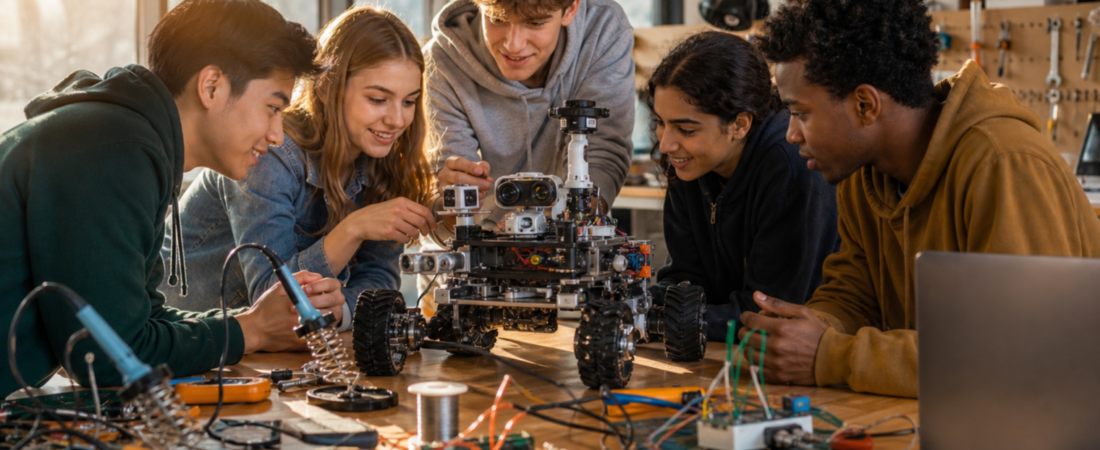
Start with a learning goal, not a kit price. A useful progression is to test one sensor and motor first, then add a repeatable route, then add decisions under changing conditions. Project evaluation rubric: give each build 0–2 points for (1) a clear problem statement, (2) repeatable test results, (3) evidence of debugging, (4) a documented limitation, and (5) the student’s ability to explain the code. The maximum is 10; it is a teaching rubric proposed here, not an official competition score. For example, a simple line follower with five documented trials can teach more than a complicated robot whose behavior cannot be explained.
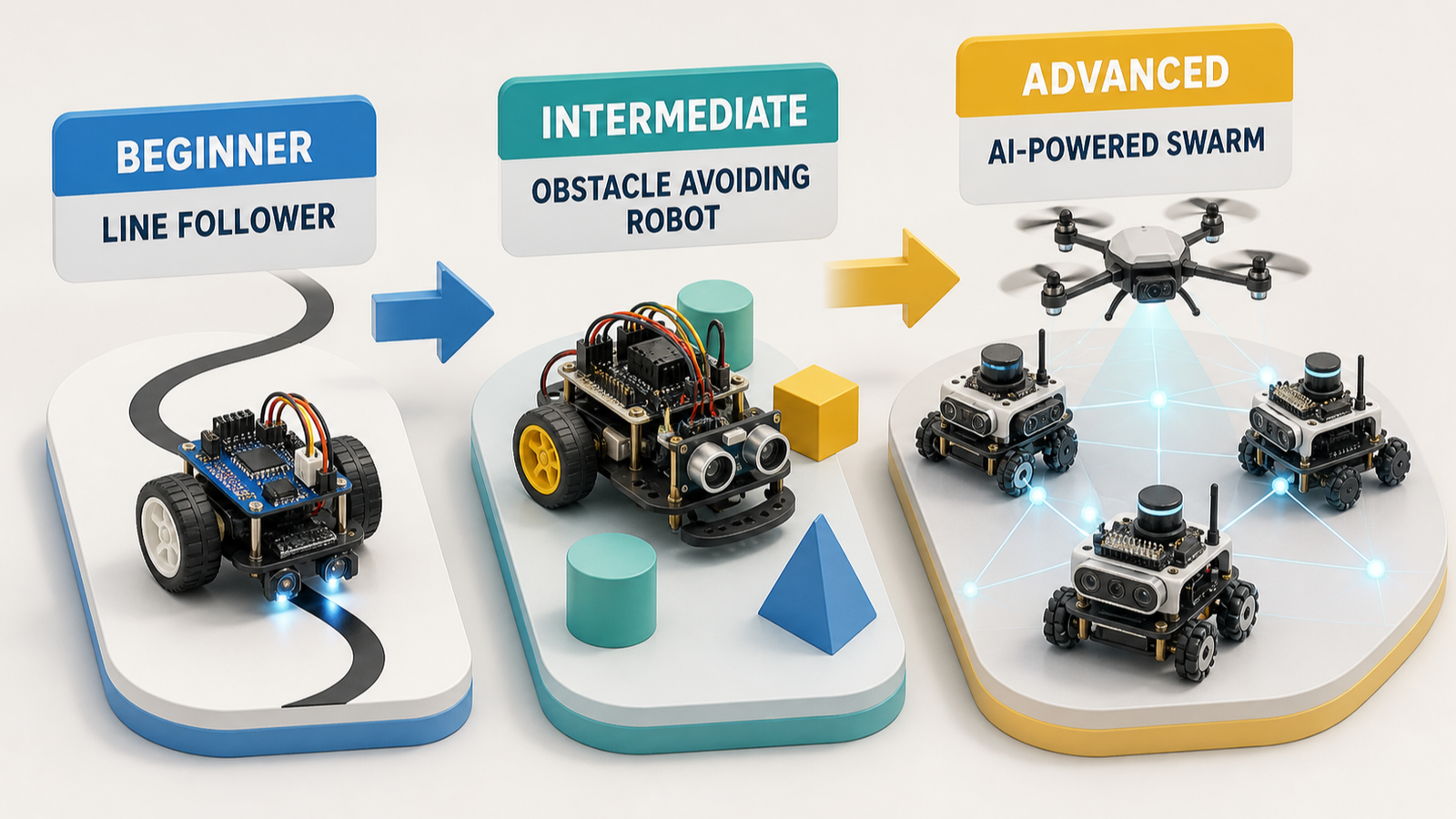
The best robotics project for a student is usually not the one with the most sensors, the most dramatic demo, or the longest feature list. It is the one whose behavior the student can explain, test, and repair. For most beginners, that means starting with a Line Follower. Students ready to make a robot react to a changing environment can move to an Obstacle-Avoiding Robot. Students who already understand one robot’s decisions and want to study coordination can consider a Swarm Robotics Student Project.
This is a practical progression, not a contest to build the flashiest machine. A line follower introduces sensor calibration, feedback loops, basic motor control, and real-time decision-making in a straightforward setup. Obstacle avoidance expands the question from “Can the robot stay on its path?” to “Can it detect a condition and choose a response?” Swarm work moves the focus again: from one robot’s behavior to autonomous systems, collective intelligence, and real-time coordination.
By the end of this guide, a student or parent should be able to choose a first project based on the learning outcome that matters now, recognize what a successful build looks like, and avoid paying for complexity that the learner cannot yet use meaningfully.
Choose the behavior before the project
“Best robotics projects for students” can sound like a search for a universal winner. There is no such winner. The useful choice is the project that makes the next technical question visible. Robotics projects can provide practical experience in automation, navigation systems, and intelligent decision-making. That broad promise becomes valuable only when the student can connect a robot’s observed motion to a specific cause: a sensor reading, a control rule, a motor response, or a coordination signal.
Use one decision first: what should the student be able to explain after the project works? If the answer is “how sensors guide motion,” choose a line follower. If it is “how a robot responds when its environment changes,” choose obstacle avoidance. If it is “how multiple autonomous agents coordinate,” swarm robotics is the appropriate advanced direction. This keeps the project’s purpose clear before hardware, branding, or a large program decides the path for you.
A fast project-fit check
Choose Line Follower if: the student needs a first build centered on sensor calibration, feedback loops, motor control, and a simple real-time decision.
Choose Obstacle-Avoiding Robot if: the student is ready to work on navigation behavior that changes in response to an obstacle.
Choose Swarm Robotics if: the student already understands individual autonomous behavior and wants to investigate collective intelligence and real-time coordination.
Pause before choosing anything larger if: the learner cannot yet describe what input will make the robot act, what action should follow, and how they will know whether that behavior succeeded.
This is not a rule against ambition. It is a rule for making ambition teachable. A project can be advanced and still be a poor next step when its most important decisions are hidden behind too many new layers at once.
Beginner card: Line Follower
A line follower is the strongest default first project in this progression because it narrows the problem to a behavior a student can observe repeatedly. The robot follows a line; when it fails, the failure is also visible. That makes it a useful starting point for learning how sensing and movement connect.
Difficulty: Beginner.
What the student learns: Sensor calibration, feedback loops, basic motor control, and real-time decision-making.
Core build focus: A robot that senses the line and changes its motor behavior to remain on it.
Typical cost: Not stated in the verified source packet. Do not treat a guessed kit price as a planning fact; verify the price, included parts, replacement policy, and return terms from the seller before purchase.
Main challenge: Calibration. A first attempt is expected to make the connection between sensor input, adjustment, and visible movement concrete rather than perfect.
Success criterion: The student can show how the robot uses sensing and motor control to follow the line, identify a condition in which it loses the line, and explain the adjustment being tested.
Next step: Obstacle-Avoiding Robot.
The point of this project is not merely to produce a robot that moves. It is to make a feedback loop understandable. A student observes the line, sees the robot’s response, changes a setting or rule, and observes the result again. That cycle is a compact version of a central robotics habit: treat behavior as something that can be measured, adjusted, and explained.
For a parent, this is also a useful value test. A smaller, clearer project can be more educational than a larger kit if it gives the learner repeated chances to answer “Why did it do that?” A program becomes expensive decoration when the student can demonstrate motion but cannot connect the motion to a decision they can investigate.
What to document during a line-follower build
Have the student keep a short build record. It does not need to be formal. Record the line condition being tested, what the robot did, what changed, and whether the change improved the behavior. The record turns a demonstration into an explanation. It also makes troubleshooting less mysterious: instead of randomly changing several things, the student can compare one observed result with the next attempt.
A good final demo is simple: show the robot following the line, then explain the role of sensing, the role of motor control, and one calibration or feedback adjustment. A robot that performs this modest task reliably and can be explained is a better first milestone than an elaborate machine whose operation is opaque to its builder.
Intermediate card: Obstacle-Avoiding Robot
Obstacle-avoiding robots are a natural second project because they extend navigation from a fixed path to a changing condition. They are among the popular student project types identified in 2026 robotics-project roundups, alongside line-following robotics and smart irrigation systems with AI-powered robots. The important educational distinction is that obstacle avoidance lets the student study a response choice: the robot detects an obstacle and changes what it does next.
Difficulty: Intermediate.
What the student learns: Navigation behavior, environmental response, and the relationship between detection and an autonomous movement decision.
Core build focus: A robot that encounters an obstacle, detects that condition, and performs a defined response rather than continuing unchanged.
Typical cost: Not stated in the verified source packet. Compare only seller-verified prices and included components when choosing a kit or parts list.
Main challenge: Defining a response that the student can test clearly. “Avoid the obstacle” is the outcome; the project becomes educational when the learner can state what the robot detects, what action follows, and what counts as an unsuccessful response.
Success criterion: The student can demonstrate the obstacle condition, describe the robot’s response, and troubleshoot a case where the response does not produce the intended navigation behavior.
Next step: Swarm Robotics Student Project, once individual autonomous behavior is understandable.
This project should not be treated as a line follower with more parts. Its learning value is different. In a line follower, the central question is whether sensing and feedback keep the robot on a known path. In obstacle avoidance, the robot has to react to an interruption. That lets a student think about a decision boundary: what changes when an obstacle appears, and how should the robot behave after it detects one?
Keep the initial version narrow. Set one observable obstacle condition and one defined response. Then test variations deliberately: change the obstacle’s position, repeat the same setup, and ask whether the behavior remains understandable. A student does not need a long list of features to learn autonomous navigation. They need a behavior specific enough to inspect.
When obstacle avoidance is the right second step
Choose this project when the student has already had enough experience with a simple sensor-to-motor relationship to benefit from a new question: how should a robot behave when the world does not match its original path? It is especially useful for learners who enjoy testing and debugging rather than only assembling a finished object.
It may be the wrong next step when the student has not yet completed a basic behavior they can explain. In that case, returning to a line follower is not going backward. It is choosing a project whose evidence is easier to read. The student should be able to separate a sensing issue from a motion issue before adding a more open-ended navigation problem.
Advanced card: Swarm Robotics Student Project
Swarm robotics is an advanced option because it changes the unit of study. The student is no longer concerned only with how one robot responds. The project examines what happens when autonomous systems coordinate as a group. The verified source material describes the educational outcome as hands-on experience with autonomous systems, collective intelligence, and real-time coordination—concepts that matter in robotics and artificial intelligence.
Difficulty: Advanced.
What the student learns: Autonomous systems, collective intelligence, and real-time coordination.
Core build focus: Multiple robot behaviors or agents whose relationship can be observed and explained as a coordinated system.
Typical cost: Not stated in the verified source packet. A student or parent should obtain current, seller-specific pricing and confirm exactly what hardware, software, and support are included before committing.
Main challenge: Coordination. The student must keep individual behavior understandable while also studying how the group behaves together.
Success criterion: The student can explain both levels of the work: what an individual autonomous unit does and what coordinated result the system is intended to produce.
Next step: Extend the coordination question only after the student can diagnose individual behavior and describe the group-level behavior without relying on vague labels such as “AI-powered.”
This is not the right default first project merely because it sounds more advanced. Collective behavior adds a second layer of explanation. A student can lose the learning value if they cannot distinguish an individual robot’s local action from the system’s shared outcome. The project becomes worthwhile when that distinction is the subject of the work, not an accidental complication.
There is a useful connection between this project and broader robotics directions. AI-powered robotics projects can expose students to automation, navigation systems, and intelligent decision-making, while advanced applications such as drones and delivery robots are often discussed as industry-relevant contexts. Those contexts can be motivating, but they are not automatically a better classroom or home project. Swarm robotics offers a more precise advanced question when the aim is to understand coordination itself.
Why not start with drones, delivery robots, or smart irrigation?
These projects can be legitimate robotics topics. Recent project lists include smart irrigation systems with AI-powered robots, while broader discussions point to drones, delivery robots, and advanced robotic applications as ways students can encounter automation, navigation systems, and intelligent decision-making. They are not presented here as the default first path because the verified packet does not establish a common component list, price range, build sequence, or student-ready scope for them.
That evidence limit matters. It would be easy to turn those labels into a shopping list or a promise of difficulty, cost, and outcome. The supplied sources do not support that. More importantly, the labels can bundle several technical questions together. A delivery robot may involve navigation and automation. A drone may involve an advanced robotic application. Smart irrigation may connect sensing and an applied system. None of those descriptions, by themselves, tells a student which first behavior they can build, test, and debug.
Use them as future directions after the student has a clearer foundation. A line follower supplies practice with sensing, feedback, and motor control. Obstacle avoidance supplies a visible environmental decision. Swarm work supplies a coordination problem. Only then is it easier to decide whether a more applied project is a sensible extension rather than an expensive leap.
A three-question selection guide
Before buying a program, hardware bundle, or add-on, answer these questions in order.
1. What behavior should the student explain?
Choose one: follow a line, respond to an obstacle, or coordinate autonomous agents. If the answer is not specific, the project is not ready to choose.
2. What evidence will show success?
Define a visible demonstration: staying on a line, reacting to an obstacle, or producing a coordinated group behavior. The explanation should name the relevant sensing, decision, or coordination idea.
3. What will the student troubleshoot?
Pick a likely failure that can be discussed without hand-waving: loss of the line, an unintended obstacle response, or a mismatch between individual and group behavior. If a project offers no clear troubleshooting conversation, it may be too broad for the learner’s present stage.
This guide is intentionally more useful than a generic “beginner, intermediate, advanced” label. Difficulty matters, but the learner’s ability to explain and repair behavior is the sharper measure of fit. A project can be technically impressive and still be too large if its cause-and-effect relationships are not accessible to the student.
How parents can judge a kit or program
A kit can be useful, but a purchase should not substitute for project selection. One parent’s experience considering a VEX program for three children led to a sensible transferable lesson: program and hardware level need to fit the learner, or the result can become an expensive toy rather than a working learning environment. That is a fit judgment, not a claim about any particular VEX product or about every child.
Before spending, ask the seller or program provider questions the verified source packet cannot answer for you: What is included? What does it cost today? Which replacement parts are available? What support is offered? What build is the intended first milestone? These are purchase facts that change and should be verified directly, not estimated from a general robotics article.
Then ask the student three questions: Can you tell me what the robot is supposed to notice? Can you tell me what it should do next? If it does not do that, what will you check first? A student who can begin answering those questions has a project with room to grow. A student who cannot may need a smaller first behavior, regardless of the sophistication of the platform.
For a broader discussion of where household robotics expectations can go wrong, see How to Avoid Samsung Physical AI Robotics Mistakes. For students using AI tools around schoolwork, pair project documentation with clear boundaries such as those in AI Homework Rules: 7 Proven Ways for Students.
What “success” should mean at each level
Success should become more demanding as the project progresses, but not by accumulating features. For a line follower, success is a student who can connect calibration, feedback, sensing, and motor control to the robot’s motion. For obstacle avoidance, success is a student who can identify an obstacle condition and explain the navigation response. For swarm robotics, success is a student who can distinguish individual autonomous behavior from coordinated group behavior.
This standard gives students a way to present the work honestly. They do not have to claim that a small project is an industrial system. They can say what the robot does, what concept it demonstrates, what went wrong during testing, and what they changed. That is a credible robotics explanation because it makes reasoning visible.
A technician’s final judgment
Choose the smallest project that lets the student explain why the robot moved the way it did and fix one failure without guessing. Start with a Line Follower unless the learner has already mastered that conversation. Move to obstacle avoidance when reacting to the environment is the next question. Save swarm work for the point when one robot’s behavior is no longer enough to satisfy the student’s curiosity.
The number of functions is not the achievement. Understanding the function—and being able to repair it—is.
Sources
- Top 28 Robotics Projects for Students in 2026 — line follower learning focus.
- Best Robotics Projects For Students In 2026 — examples of popular student robotics project types.
- Swarm Robotics Student Projects: Top Ideas for 2026 — autonomous systems, collective intelligence, and real-time coordination.
- Best Robotics Projects for Engineering Students in 2026 — automation, navigation, intelligent decision-making, and advanced application context.
Three project briefs with different evidence requirements
These illustrative briefs separate navigation from coordination. A project becomes harder when its explanation needs another source of uncertainty, not merely because its title sounds advanced.
| Situation | Next check | Why it changes the decision |
|---|---|---|
| Line follower | Show how sensor position and a threshold change steering. | The student should connect one observation to one motor decision. |
| Obstacle avoidance | Explain the response to an obstacle placed in two different positions. | A single successful route does not establish a general avoidance behavior. |
| Two-robot coordination | Define what each robot knows and what happens if a message is missing. | Shared behavior needs a communication and failure model. |
Start with the brief the learner can explain and revise. No success rate is claimed here. Document failures as well as successful runs so a project presentation shows reasoning rather than only its best video.