The OpenAI API is a cloud AI option for building repeatable workflows. Instead of opening a chat app manually, a script or application sends a task to an API and receives a structured response.
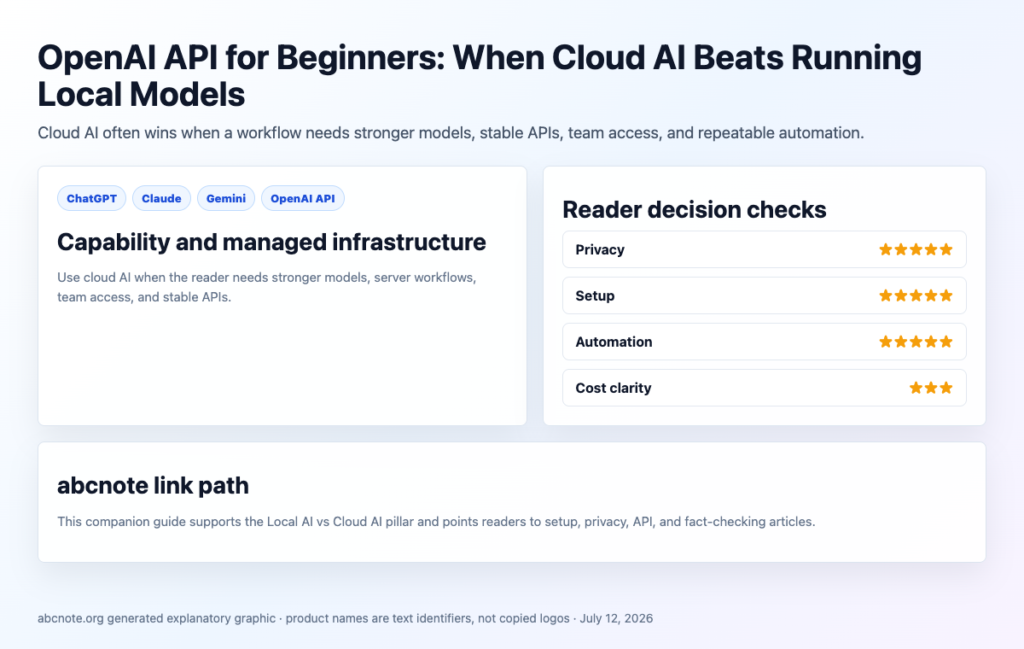
Quick answer: use cloud AI when model quality, uptime, team sharing, and automation reliability matter more than running everything on your own computer.
Logo sources checked
- OpenAI: OpenAI wordmark used for editorial identification; OpenAI brand terms checked.
What cloud AI means
Cloud AI means the model runs on provider infrastructure. Your app sends a request over the internet, the provider processes it, and the response comes back to your app.
Examples include OpenAI API, Claude API, Gemini API, ChatGPT, Claude, Gemini, and other hosted AI products. They are not all the same, but they share the basic cloud pattern.
When OpenAI API makes sense
- You need stronger model quality than your laptop can run.
- You need a workflow that runs from a server.
- You want structured outputs for automation.
- You need team access or shared tooling.
- You want to connect AI to WordPress drafts, source checks, or internal tools.
The privacy rule
Cloud AI is not automatically unsafe, but it requires provider-specific reading. OpenAI’s API data-control documentation says API data is not used to train OpenAI models unless the customer opts in. That is helpful, but you still need to manage secrets, retention, logs, screenshots, account permissions, and connected tools.
Never paste API keys, passwords, private customer data, or confidential documents into prompts unless your account, agreement, and workflow are designed for that use.
Local vs cloud decision
| Need | Better starting point |
|---|---|
| Highest privacy control | Local AI |
| Strongest general model | Cloud AI |
| Offline use | Local AI |
| Server automation | Cloud AI |
| Learning model behavior | Either |
| Team workflow | Usually cloud AI |
What the OpenAI API is good at
The OpenAI API is useful when AI needs to become part of a repeatable product or workflow. A chat app is good for one person asking questions. An API is better when a script, server, or automation needs to send structured work to a model again and again.
For abcnote-style work, a cloud API can help classify topic ideas, draft article sections, summarize official sources, rewrite excerpts, generate structured checklists, or prepare WordPress draft metadata. The safer pattern is to send public or redacted content, then keep human review before upload or publishing.
Cloud API vs chat app
| Use case | ChatGPT-style app | OpenAI API-style workflow |
|---|---|---|
| One-time brainstorming | Good fit. | Usually unnecessary. |
| Repeatable classification | Manual and inconsistent. | Good fit. |
| WordPress draft preparation | Useful for editing. | Good for structured automation with approval. |
| Team system | Depends on plan and sharing. | Better for app integration. |
Beginner safety checklist
- Do not send API keys, passwords, or private tokens as prompt text.
- Use placeholders in examples.
- Read the current provider data-control page before private workflows.
- Log what the automation did, but avoid logging secrets.
- Add a human approval gate before sending, publishing, deleting, or buying.
When local AI still wins
If the task involves raw private notes, sensitive files, or experimentation where data boundaries matter more than model quality, start locally. If the task is public, repetitive, and benefits from stronger model quality, a cloud API may be the better first build.
Related reading
- Local AI vs Cloud AI: Which Is Better for Privacy, Cost, and Speed?
- Cloud AI Privacy Checklist: ChatGPT, Claude, Gemini, and API Tools
- API Keys and App Passwords: The Beginner Security Mistake That Breaks Automation
Last checked: July 12, 2026.
Source Notes
- OpenAI API data controls: https://developers.openai.com/api/docs/guides/your-data
- OpenAI enterprise privacy: https://openai.com/enterprise-privacy/
OpenAI API: cost, safety, and local AI boundaries
OpenAI API work should begin with a budget boundary before the first prototype becomes a habit. The useful question is not only whether the API can produce a good answer. The useful question is whether the workflow has rate limits, logging, prompt controls, retry rules, privacy boundaries, and a fallback when a local model is good enough. Pair this guide with OpenAI API Cost Guide, then compare private-draft work against Local AI Workflow With Ollama so every task does not automatically become a cloud call.
Use official OpenAI documentation for moving parts that change quickly. The OpenAI platform documentation explains current API concepts, the OpenAI rate limits guide explains throughput constraints, and the OpenAI tokenizer helps estimate token behavior before a prompt becomes expensive. Pricing can change, so check the current OpenAI API pricing page when the article mentions model cost. For a public blog, never quote an old price as if it is permanent.
| OpenAI API field | Cloud API habit | Local AI boundary |
| Drafting | Use the API when quality, speed, or structured output matters. | Use Ollama or another local tool for rough private notes and duplicate checks. |
| Verification | Check sources, dates, and claims outside the model output. | Do not trust a local model more just because it runs on your computer. |
| Cost control | Set budgets, test short prompts, cache repeat outputs, and avoid uncontrolled retries. | Use local pre-analysis when quality risk is low and the task is repetitive. |
OpenAI API setup decisions before production
The first production decision is key handling. Keep API keys out of screenshots, public repositories, and shared documents. Use environment variables or a secrets manager, rotate keys when a device is lost, and separate development keys from production keys when the project matters. The second decision is data handling. If prompts include customer records, personal notes, private emails, or business files, write a data boundary before building the feature. That boundary should explain what can be sent to the API, what must stay local, and who can review logs.
The third decision is output review. For blog and workflow automation, the OpenAI API can draft, classify, summarize, or transform content, but publishing still needs a checklist. The article should pass the same review path as AI Writing Without Thin Content: sources checked, copied phrasing removed, claims tightened, internal links added, images given useful alt text, and tables made mobile-safe. A fast API workflow that skips review is not automation; it is just faster risk.
When OpenAI API is worth it
Use the OpenAI API when the task needs reliable structured output, current model quality, long-context reasoning, multilingual rewriting, classification at scale, or integration into an app. Use local AI when the task is private, repetitive, low-stakes, or good enough with a smaller model. Use both when the workflow benefits from a cheap local pre-pass and a stronger final verification pass. That mixed approach keeps cost under control while preserving the quality needed for public work.
OpenAI API workflow checklist for small teams
Small teams should treat the OpenAI API as a production dependency once it touches a customer workflow, a publishing workflow, or a paid automation. Keep a short runbook with the model used, the prompt purpose, the expected input shape, the maximum token budget, the retry limit, and the person responsible for reviewing failures. That runbook does not need to be complex. It simply prevents a useful prototype from turning into a hidden cost center with no owner.
Logging needs the same practical boundary. Save enough information to debug bad outputs, but do not store private prompts forever just because logging is easy. For content workflows, store the article ID, task type, source list, model name, and final review status. Avoid storing raw personal data unless there is a clear operational reason and a retention plan. This is especially important when the same workflow combines local AI notes, API-generated drafts, screenshots, and WordPress uploads.
Quality control should be visible in the workflow, not remembered after the fact. Before an OpenAI API output becomes public, check whether the answer cites current sources, whether any numbers are dated, whether comparison claims are fair, whether the article has useful internal links, and whether the reader can act without needing another generic search. A strong API setup saves time because the review checklist is built into the process from the beginning.
OpenAI API fallback rule
Use a fallback rule for outages, limits, and high cost. If the API fails, the workflow should either pause cleanly, use a smaller approved model, switch to a local pre-pass, or ask for human review. It should not silently publish lower-quality content or keep retrying until the budget is gone. That one rule protects both the reader experience and the site owner.
OpenAI API first-request walkthrough
Install the official Python SDK with python -m pip install openai and set the OPENAI_API_KEY environment variable without committing it to source control.
from openai import OpenAI
client = OpenAI()
response = client.responses.create(model="gpt-4.1-mini", input="Reply READY")
print(response.output_text)
Verify that the chosen model is available to your account. For errors, record the status code and SDK version without printing secrets. Calculate charges using current official pricing and actual input/output tokens.
A first API request should fail safely as well as succeed
For an illustrative first script, ask for a harmless fixed reply and keep the output away from automatic publishing. The useful result is both a normal response and understandable handling of an authentication or rate error.
| Situation | Next check | Why it changes the decision |
|---|---|---|
| Authentication fails | Check configuration without printing the secret. | A diagnostic log should not become a credential leak. |
| Request succeeds | Record model, usage, and the requested output. | A successful reply confirms a narrow connection path. |
| Transient error occurs | Limit retries and preserve the original job identifier. | Unbounded repetition can create charges and duplicate downstream work. |
Use the current official SDK and a model available to your account. This is an acceptance outline, not a guarantee of availability, retention terms, or a particular price.