Quick answer: ROCm vs CUDA is not a simple AMD versus NVIDIA fan argument. CUDA is still the safest default for most AI builders who want the widest framework support, the most tutorials, the easiest container path, and fewer surprises. ROCm is becoming a more serious alternative for Linux builders who already own supported AMD GPUs, want to reduce NVIDIA lock-in, or are building a cost-sensitive local AI workstation. The right choice depends less on brand loyalty and more on compatibility, model support, operating system, Docker workflow, and how much debugging you can accept.
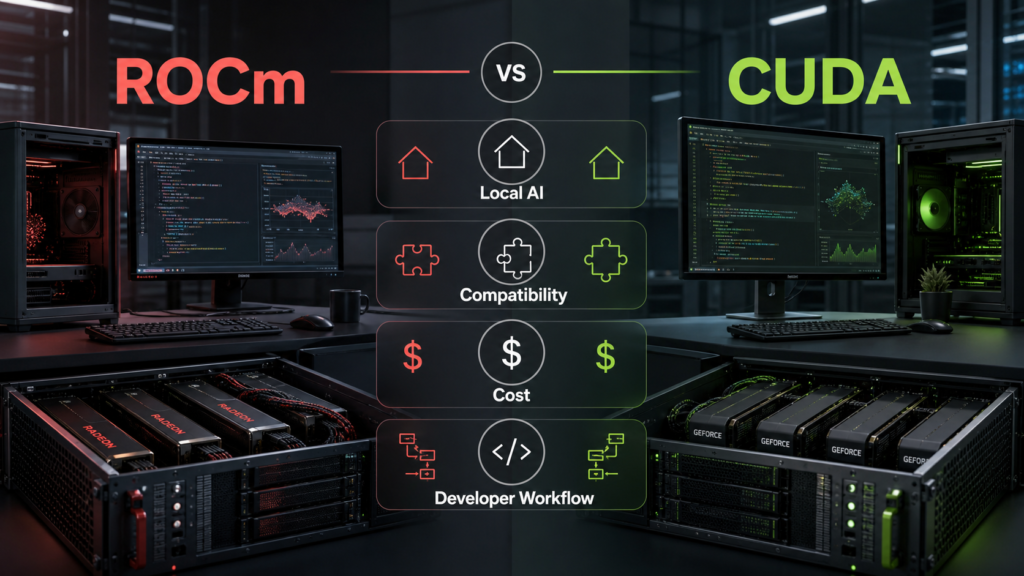
This topic is hot because AI builders are no longer choosing only between cloud and local AI. They are choosing the software stack under the GPU. A local model can be private, fast, and cheaper over time, but only if the GPU driver, framework, inference tool, container runtime, and operating system all work together. That is why a hardware purchase should be connected to your broader local AI vs cloud AI decision, your CPU, GPU, and NPU buying plan, and the actual tools you plan to run.
The honest version: CUDA has the mature ecosystem advantage. ROCm has momentum and can be the better-value path in the right build. If you need a production machine today and cannot spend time debugging, CUDA is usually safer. If you are comfortable with Linux, can verify hardware support first, and want more competition in AI hardware, ROCm is worth testing before you buy.
What CUDA and ROCm actually are
CUDA is NVIDIA’s parallel computing platform and programming model. It is the reason many AI libraries, research examples, tutorials, containers, and production workflows assume NVIDIA GPUs first. When a model repo says GPU support works, the easiest path often means CUDA. That ecosystem gravity is CUDA’s biggest strength.
ROCm is AMD’s open software stack for GPU computing. It includes drivers, runtime components, math libraries, compiler pieces, and framework integration paths for supported AMD hardware. ROCm matters because builders want a real alternative to a single-vendor AI stack. The challenge is that support still depends heavily on exact GPU model, Linux distribution, kernel, ROCm version, framework version, and workload.
CUDA
Best known for broad AI framework support, extensive tutorials, mature developer tooling, and a large production ecosystem.
ROCm
Best known as AMD’s GPU compute stack, improving fast but still more sensitive to hardware and software compatibility.
ROCm vs CUDA: the real question
Can your exact model, library, OS, driver, container setup, and GPU work together without wasting your weekend?
The hidden cost
A cheaper GPU is not cheaper if the stack costs you days of troubleshooting or blocks the model you bought it to run.
Fast recommendation by reader type
Buy CUDA if you need the safest path
Choose NVIDIA/CUDA when you need maximum tutorials, PyTorch examples, container support, and predictable help from existing forums and docs.
Try ROCm if you already own supported AMD hardware
If your AMD GPU appears in the ROCm compatibility matrix and your workload is Linux-friendly, testing ROCm can be very reasonable.
Use CUDA for a team build server
For shared team machines, CI jobs, training experiments, and agent coding workflows, lower operational surprise usually matters more than saving on one GPU.
Use ROCm for a cost-aware local lab
For personal local AI, private notes, experimentation, and learning, ROCm can be attractive when the supported hardware price is right.
Avoid both for tiny tasks
If the workload is light, a smaller CPU, NPU, cloud model, or hosted API may be more practical than maintaining a GPU stack.
Do not buy first
Check the compatibility matrix, PyTorch selector, inference tool docs, and Docker path before ordering the GPU.
Compatibility is the first filter
Do not begin with benchmark screenshots. Begin with compatibility. A GPU stack that works in one YouTube demo may fail on a different card, operating system, kernel, Python version, framework version, or container image. AMD publishes ROCm documentation and compatibility information. NVIDIA publishes CUDA Toolkit and CUDA documentation. PyTorch’s local installation selector shows which accelerator options are supported for the current install path. Those pages should be checked before money changes hands.
This is especially important for local AI. Many readers want to run Ollama, text-generation servers, image models, coding assistants, embeddings, or private document workflows. Those tools may support NVIDIA first, AMD later, or AMD only under specific conditions. The Ollama setup guide is useful here because it reminds builders that model size, memory, and install path matter just as much as raw GPU brand.
GPU model
Check the exact card, not only the brand. Supported professional and consumer cards can differ by generation and ROCm/CUDA version.
Operating system
Linux usually gives ROCm builders the clearest path. Windows support can be more limited depending on tool and workload.
Framework
Check PyTorch, TensorFlow, ONNX, llama.cpp, Ollama, or your inference server before assuming support.
Containers
If the build depends on Docker, confirm the NVIDIA Container Toolkit or ROCm Docker path before buying hardware.
Model format
Quantized local models, image-generation models, embeddings, and training workloads may stress the stack differently.
Fallback plan
Know whether you can switch to CPU, cloud API, smaller model, or another GPU if the first stack does not work.
CUDA’s biggest advantage: ecosystem default status
CUDA’s advantage is not only speed. It is the way the AI ecosystem assumes it exists. Many installation guides, GitHub issues, Docker images, notebooks, benchmark scripts, and troubleshooting answers start with CUDA. That makes NVIDIA the practical default when a builder values time, community support, and lower uncertainty.
This matters for developers using AI coding assistants, local agents, or build servers. If your assistant can write code but your GPU environment breaks, the whole workflow stalls. A reliable CUDA machine can become a team utility: run tests, generate embeddings, serve a local model, try fine-tuning experiments, or compare cloud outputs with local outputs. That connects directly to the AI coding tools guide: the coding assistant is only as useful as the environment it can reason about and test.
More examples
Most AI tutorials and model repos have a CUDA path, which makes first setup easier for many readers.
More containers
Production and research containers often publish NVIDIA-friendly examples first.
More community answers
When something fails, there are more forum threads, GitHub issues, and known fixes for CUDA setups.
Better production confidence
For business use, a boring, well-documented stack can beat a cheaper stack that requires constant repair.
ROCm’s biggest opportunity: credible competition and local value
ROCm is important because AI builders need competition. A single default stack can make hardware choices narrow and expensive. AMD’s ROCm push gives local builders another path, especially when supported AMD cards are priced well or already sitting in a workstation. For some Linux users, ROCm can run useful local AI workloads without requiring a new NVIDIA purchase.
The key is not to oversell it. ROCm can be good when the card, OS, framework, and workload line up. It can be frustrating when they do not. Treat ROCm as a stack to verify, not a slogan. If your exact workflow passes a small test, ROCm may save money and reduce lock-in. If your workflow fails, the lower hardware price will not matter.
Best ROCm fit
Linux builders, supported AMD GPUs, local inference, experimentation, cost-sensitive home labs, and users comfortable reading docs.
Weak ROCm fit
Teams that need every AI repo to work immediately, Windows-first workflows, unsupported GPUs, and production deadlines.
Good test
Install the exact framework, run one small model, run one container, and verify the tool you actually plan to use.
Bad test
Watching one benchmark on a different card and assuming your setup will behave the same way.
Local AI scenarios: which stack fits?
Private chatbot for notes
ROCm can work if your AMD card is supported and the tool path is confirmed. CUDA remains easier when you want fewer setup surprises.
Coding assistant experiments
CUDA is safer for multi-tool experiments because more repos document NVIDIA first. ROCm is worth a lab test if the exact tools support it.
Image generation
Check the specific model UI and backend. Some image workflows are CUDA-first and may need extra ROCm workarounds.
Embeddings and search
Smaller embedding workloads may not need a large GPU. Test CPU, NPU, smaller GPU, and cloud options before overbuying.
Fine-tuning
CUDA is still the safer path for most tutorials and training stacks. ROCm can be viable, but verify framework and memory details first.
Home lab server
If the machine also runs containers, storage, and automation, use the GPU stack with the clearest maintenance path.
Docker and containers can decide the winner
Many builders do not install AI libraries directly on the host. They use Docker images, compose files, dev containers, or inference servers. That makes GPU passthrough and container tooling part of the decision. NVIDIA has a widely used container toolkit. AMD has ROCm Docker documentation and container paths, but the exact experience depends on host OS, driver versions, permissions, and image support.
If your local AI plan includes containers, read the Docker Desktop vs Podman guide and check the vendor GPU container docs before choosing the card. A GPU that is fast on paper but annoying inside containers may not be the right GPU for your daily workflow.
Host driver
The host must expose the GPU correctly before any container can use it.
Runtime support
NVIDIA and ROCm container paths use different setup assumptions. Follow current vendor docs.
Image support
A project image may publish CUDA instructions first. ROCm images may be separate, experimental, or community-maintained.
Permissions
GPU device access, user groups, security settings, and container runtime flags can break an otherwise good setup.
Updates
Driver, kernel, framework, and container updates should be planned together, not randomly upgraded on a working machine.
Rollback
Keep notes on working versions so a failed update does not destroy a stable local AI system.
Windows, Linux, and the beginner trap
A common beginner mistake is buying a GPU based on price, then discovering that the favorite tutorial assumes a different operating system. For ROCm, Linux is often the clearest path. For CUDA, Windows and Linux workflows are both common, though production and container examples often lean Linux. If you are new to this, choose the path with the least friction for your actual machine.
Python also matters. AI GPU stacks can be sensitive to Python versions, virtual environments, package managers, and wheel availability. The Python environment guide for AI projects helps because a clean environment prevents many confusing errors that look like GPU problems but are actually package conflicts.
Beginner on Windows
CUDA usually has more familiar examples. ROCm may require more careful compatibility checking depending on tool and GPU.
Linux hobby builder
ROCm becomes more realistic if the GPU is supported and you are comfortable with drivers, kernels, and command-line fixes.
Team workstation
Use the stack that junior developers and future maintainers can repair without heroic effort.
Laptop buyer
Do not assume a laptop GPU has the same support path as a desktop card. Check exact model and memory.
Cost: cheaper hardware is only one part
ROCm often enters the conversation because AMD hardware can be attractive on price. That is a valid reason to investigate it. But a GPU stack has more costs than the sticker price: setup time, failed installs, incompatible repos, slower troubleshooting, replacement risk, power use, memory limits, resale value, and whether the machine does the work you bought it to do.
CUDA’s premium can be rational if it saves engineering time. ROCm’s savings can be rational if the workload is verified and the builder can maintain it. The better question is not which brand wins the internet argument. It is which stack gives your project a working machine at the lowest total cost.
Hardware price
Compare used and new GPUs, VRAM, power draw, warranty, and whether the card fits your case and PSU.
Time price
Estimate setup and repair time. Two lost days can erase a large hardware discount for a working developer.
Model price
A cheaper GPU with too little VRAM may force smaller models or slower CPU offload.
Cloud alternative
For occasional heavy work, renting cloud GPU time may beat owning and maintaining a local stack.
Energy and heat
Local AI has electricity, noise, cooling, and room heat costs. Those matter in a home office.
Resale and upgrade
A widely supported card may hold practical value better because more buyers can use it easily.
A buying checklist before ordering a GPU
1. Name the workload
Local chatbot, embeddings, image generation, coding agent, training, fine-tuning, or experimentation?
2. Name the software
Ollama, PyTorch, TensorFlow, llama.cpp, Stable Diffusion UI, vLLM, Docker image, or your own code?
3. Check support pages
Read AMD ROCm compatibility, NVIDIA CUDA docs, PyTorch selector, and the tool’s own GPU notes.
4. Check VRAM
Model size and context length can matter more than raw brand. Do not buy too little memory for your target model.
5. Check OS and containers
Confirm Linux or Windows path, Docker or non-Docker path, and driver version before purchase.
6. Test one small task
Before trusting the machine, run one model, one container, one Python script, and one restart cycle.
Decision map: choose by risk tolerance
Lowest risk
Choose CUDA when you need broad compatibility, support, and predictable examples more than the lowest hardware price.
Best value experiment
Choose ROCm when supported AMD hardware is cheaper, Linux is acceptable, and your exact tools pass a short test.
Best privacy lab
Use whichever stack runs your private local workflow reliably. Privacy does not help if the machine is too fragile to use.
Best team machine
Default to the stack with the clearest docs and the smallest maintenance burden for everyone on the team.
Best learning path
CUDA gives more tutorials. ROCm teaches useful low-level compatibility discipline if you enjoy that work.
Best no-regret path
Do a documented pilot before buying multiple GPUs or standardizing a team workflow.
What to avoid
Avoid buying a GPU because one benchmark looks impressive without checking the exact software stack. Avoid assuming that all AMD cards are ROCm-ready for your workload. Avoid assuming every NVIDIA card will have enough VRAM for your target model. Avoid mixing random driver, kernel, Python, and framework versions without writing down what changed. Avoid letting an AI coding assistant install GPU packages blindly without reviewing the commands.
Also avoid turning this into a permanent identity argument. Good builders use the tool that fits the job. CUDA may be the obvious choice for one project. ROCm may be the practical choice for another. Cloud AI may be better for occasional heavy tasks. A small local CPU model may be enough for private notes. The right stack is the one that does the work reliably under your constraints.
Source notes and date checked
Sources were checked on July 31, 2026. GPU support, driver versions, model servers, containers, and framework installation instructions change quickly. Treat this guide as a practical decision framework, then verify the exact support pages again before buying hardware or standardizing a team build.
- AMD ROCm documentation
- ROCm on GitHub
- AMD ROCm compatibility matrix
- NVIDIA CUDA Toolkit
- NVIDIA CUDA documentation
- NVIDIA CUDA Zone
- PyTorch local install selector
- TensorFlow install from source GPU notes
- Ollama AMD GPU preview
- Docker Desktop GPU support
- NVIDIA Container Toolkit
- ROCm Docker guidance
FAQ
Is ROCm ready to replace CUDA?
For some supported Linux local AI workflows, ROCm can be practical. For the broadest AI ecosystem support and the least troubleshooting, CUDA is still the safer default. The answer depends on the exact GPU, framework, OS, and model server.
Can I use AMD GPUs for local AI?
Yes, when your GPU and software path are supported. Check AMD’s ROCm compatibility information, your inference tool’s docs, and a small working test before assuming production readiness.
Is CUDA lock-in real?
Yes in a practical sense. Many tutorials, containers, research repos, and support threads assume CUDA first. ROCm reduces that lock-in when it works for your workload, but compatibility still needs verification.
Should beginners buy AMD or NVIDIA for local AI?
Most beginners who want the easiest setup should start with NVIDIA/CUDA. Beginners who already enjoy Linux troubleshooting and can confirm ROCm support may get strong value from supported AMD hardware.
Bottom line: trust the stack you can verify
ROCm vs CUDA is really a verification question. CUDA usually wins on ecosystem maturity, documentation, and lower setup risk. ROCm is becoming more compelling for supported AMD hardware, Linux local AI, and builders who want better value and less dependence on one GPU ecosystem.
Before buying, write down the workload, model, framework, operating system, container path, VRAM target, and fallback plan. Then check official support pages and run a small pilot. The best AI GPU stack is not the one that wins the loudest argument. It is the one that runs your real workload, survives updates, and lets you build instead of constantly repairing the environment.
Write the support chain before choosing the GPU
For an illustrative purchase, the required chain is operating system, GPU model, driver, framework, model runtime, and workload. A supported GPU family name is insufficient if the intended combination breaks elsewhere.
| Situation | Next check | Why it changes the decision |
|---|---|---|
| GPU appears in a support list | Match the exact device and operating-system release. | Support lists can be narrower than marketing families. |
| Framework installs but uses CPU | Inspect the active device in the runtime. | Successful installation is different from GPU acceleration. |
| Representative workload succeeds | Measure memory use and the setting needed to reproduce it. | A minimal demonstration is only the first compatibility check. |
Price the working combination, including the time you can spend maintaining it. This is a compatibility procedure, not a CUDA-versus-ROCm speed benchmark or a universal claim about either ecosystem.