A trustworthy blog design does not need decoration first. It needs a clear promise, readable pages, predictable navigation, and enough visual restraint that readers can focus on the answer they came for.
Use this checklist with WordPress Categories, use the next step with Search Console for New Bloggers, and keep AdSense Approval Checklist nearby before publishing or monetizing the site.
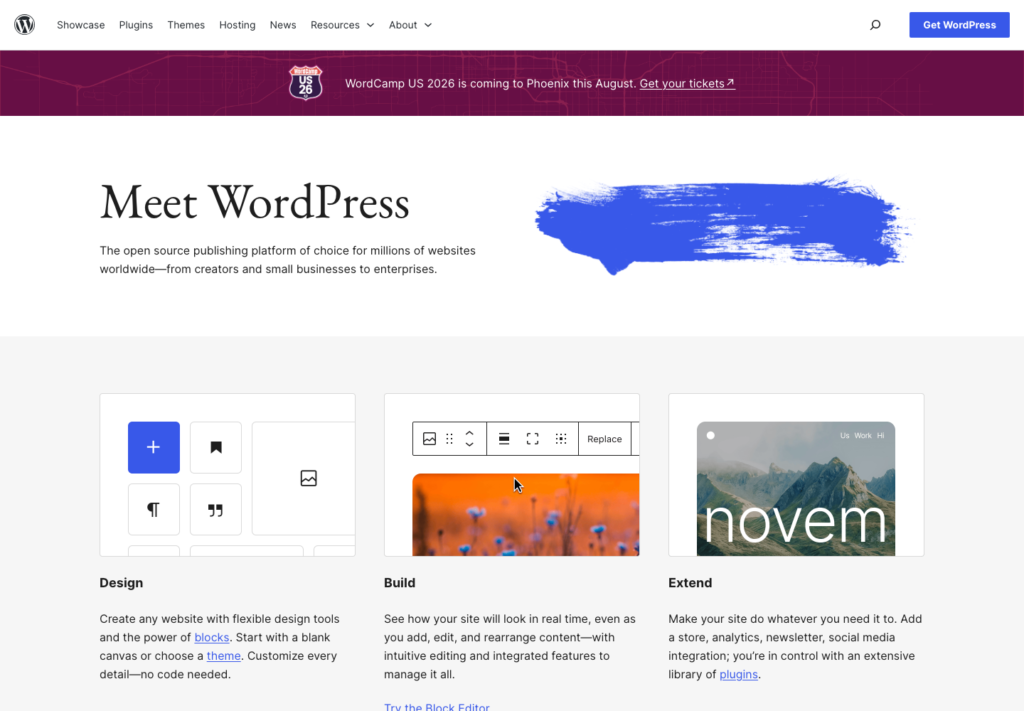
Where this fits in the abcnote stack
This design repair belongs in the publishing foundation cluster. A clean WordPress layout makes the SEO, screenshot, Search Console, and AdSense-readiness guides easier for readers to trust before they move into automation topics. Continue with these public abcnote guides: WordPress Categories, Search Console Metrics, AdSense Approval Checklist.
Start with the promise readers see first
Open the homepage and one article on a phone. The site name, tagline, article title, and first paragraph should explain what the site helps readers do. If the first screen only shows a large image, vague category label, or generic slogan, readers need to work too hard.
For abcnote-style technology content, the promise should feel practical: WordPress setup, AI writing, SEO, automation, privacy, home-lab decisions, and software decision guides. Keep clever wording secondary to clear usefulness.
A strong first screen also supports internal linking. When the page introduces a WordPress setup problem, point readers toward the WordPress category structure guide or the Search Console metrics guide before the final read-next block.
Use a calm layout system
Pick one content width for article bodies and keep it consistent. A practical starting range is 680 to 820 pixels on desktop, with full-width text only for dense reference pages that have strong headings. Consistent width helps readers scan tutorials, tables, screenshots, and checklists without feeling that every page has a different rhythm.
Use one type scale for article pages: title, section heading, small subheading, body text, caption, and navigation. Avoid changing font size to make weak sections feel important. Improve weak sections by adding a clearer answer, a better example, or a useful table.
For WordPress design, restraint matters. White space should separate ideas, not create empty drama. Buttons should look like commands. Links should be visibly clickable. Tables should have borders or card styling so they survive mobile reading.
| Design area | Practical rule | Why it matters |
| Header | Keep the logo/site name, primary categories, and search or menu access predictable. | Readers can move from a design article into SEO, automation, or WordPress setup without guessing. |
| Article body | Use short paragraphs, clear H2s, and screenshots that explain a decision. | The page feels useful instead of decorative. |
| Images | Use visuals that show a workflow, decision, example, or before/after improvement. | Images support the article instead of acting as filler. |
| Links | Place 2-3 contextual internal links inside the body and a final read-next block. | Readers can continue naturally without private Draft links. |
Fix credibility signals before polishing colors
Check the About, Contact, Privacy, and editorial-policy paths before adjusting colors. A beautiful page with missing trust pages still feels unfinished. A plain page with clear ownership, contact path, source habits, and readable structure feels safer.
Show readers how claims are checked
Prefer first-party source links when a page discusses WordPress settings, platform policies, pricing, eligibility, or product limits: official documentation, the product’s own policy pages, and current account or settings screens are stronger than an unsourced blog citation. Use a reputable independent source only when it adds analysis or context that the official page does not provide. Link to the specific page that supports the claim, rather than a generic homepage, and remove links that no longer match the surrounding sentence.
Navigation should match the content that actually exists. If the site has WordPress setup, SEO, AI writing, automation, and home-lab material, group those topics clearly. Empty categories and one-post categories make a site look thinner than it is.
When a design page mentions monetization, keep the advice reader-first. The page should explain how to make content easier to inspect, not how to force revenue elements into a thin layout.
Make screenshots and tables mobile-safe
Screenshots should be large enough to teach one point. Crop browser chrome only when it does not remove useful context. Add captions that tell readers why the screenshot exists. A caption like “WordPress settings page” is weaker than “Use this screen to confirm the site title, tagline, and public navigation before reviewing article layout.”
Avoid wide five-column decision tables on phones. If a table needs many fields, split it into two smaller tables or use bordered cards. Preserve the information, but change the shape so the reader can review without pinching and guessing.
This habit connects directly to Tech Blog Screenshot Rules, because image rights, private-data cleanup, captions, and responsive display all affect trust.
Seven fixes that usually improve a WordPress article fast
1. Make the opening answer the searcher’s problem
Rewrite the opening paragraph so it answers the actual problem in two or three sentences. State the page’s practical outcome before explaining the design philosophy. For example, a visitor deciding whether to change a cluttered article layout should quickly learn that the review covers the first screen, readable body width, navigation, mobile-safe visuals, and a usable next step.
2. Remove repeated introductions and sharpen heading promises
Remove repeated generic introductions, then make every H2 promise a concrete decision, checklist, or example. If two sections both say that design builds trust, keep the stronger explanation and use the other space for a test the reader can perform. A heading such as “Make screenshots and tables mobile-safe” tells the reader exactly what they will be able to check.
3. Connect related guidance at the moment it helps
Add a contextual internal link when the article naturally mentions a related topic. A paragraph about organizing navigation can point to WordPress categories; a paragraph about measuring whether improvements work can point to Search Console. The useful test is simple: the linked page should answer the reader’s likely next question, not merely add another link.
4. Replace decoration with evidence and preserve scanability
Replace decorative images with a screenshot, workflow map, checklist board, or decision visual. A useful image earns its space by showing the setting, comparison, or sequence discussed in the nearby text; its caption should explain what to notice. Give every useful table visible borders, and review it on a narrow screen. If a reader must zoom to compare cells, split the table or turn the choices into short bordered cards.
5. Finish with a public, actionable route forward
End with a reader-facing next-step block that points to public articles only. The final links should match the work just completed: category structure after navigation cleanup, screenshot rules after visual cleanup, or an AdSense checklist after the site reads like a complete publication. Avoid a vague “learn more” ending when a specific next task gives the reader a clearer route.
These fixes also support AdSense approval preparation because they make the site look like a useful publication instead of a collection of unfinished notes.
A practical before-and-after review
Before editing, read the page as a visitor who arrived from search. Ask what they know after ten seconds. If the answer is only “this site has a nice image,” the article needs stronger structure. If the answer is “I know which setting to change, what to avoid, and what to read next,” the design is doing its job.
After editing, check the page on a narrow screen. The title should wrap cleanly. The first image should not push all useful text below the fold unless the image explains the core decision. Tables should stay within the viewport. Captions should not repeat the heading.
Finally, make sure design polish does not hide editorial gaps. A site earns trust when the content, source links, navigation, and visual system all point in the same direction.
Practical QA pass before this draft is ready
Review the reader journey
Read the article from the viewpoint of a visitor who wants a decision, not a lecture. The first screen should state the payoff, the middle should show steps or decision evidence, and the ending should point to related public abcnote guides. On a second pass, scan only the headings and captions: they should still describe a coherent route from identifying a design problem to checking the repaired page.
Check links where decisions happen
Check that links appear where the reader needs them. A WordPress setup paragraph can link to categories or Search Console. A writing-quality paragraph can link to AI fact-checking. An automation paragraph can bridge toward webhooks, Zapier, Make, or n8n. Each link should be understandable from its anchor text and should add a next step that the current paragraph has already made relevant.
Confirm the page has practical depth
For WordPress Design: 7 Proven Fixes to Earn Trust Fast, the repair goal is practical depth: enough examples, checklists, source-backed links, and mobile-safe tables that the article feels complete without relying on a private Draft or a final-only link block. A reader should be able to use the guide during an actual page review, rather than merely agree with general advice about good design.
| QA item | Pass rule | Reader benefit |
| Length | Keep the public body above 10,000 characters with useful examples. | The draft feels complete, not thin. |
| Links | Use contextual internal links plus final read-next links. | Readers can continue naturally. |
| Readability | Use active, direct sentences and short paragraphs. | Technical topics feel easier to scan. |
| Tables/images | Use visible borders and explanatory images. | Mobile readers can still review choices. |
Decision checklist
Choose the strongest source for the claim
Use the official source when the article mentions setup, policy, pricing, or platform limits. Prefer the relevant documentation page, policy page, or product page over a secondary blog post that summarizes it. If a detail changes often, write the date checked near the recommendation or phrase the guidance as a decision rule rather than a permanent claim.
Keep the public decision visible
Remove private workflow notes. The public article should not tell readers that a section exists to satisfy a content gate. It should simply give the useful answer with clear evidence.
End by connecting the topic to the next reader action: improve site structure, verify content quality, check screenshots, or build safer automation only after the publishing foundation is stable.
WordPress Design final checks
WordPress Design should improve reader trust before it tries to improve rankings. Confirm the official source, keep the user-facing promise narrow, and remove anything that looks like a private planning note instead of public advice.
For current details, review WordPress site editor documentation. Documentation, pricing pages, eligibility language, and product screens can change, so the final draft should match current source pages instead of relying only on old screenshots.
| Check | What to verify | Why it matters |
| First screen | Check whether the header, menu, title, and first paragraph explain the page quickly. | Readers decide whether to trust a small site fast. |
| Mobile | Review screenshots, tables, and spacing on a narrow screen. | Design that breaks on phones hurts both trust and reading time. |
| Navigation | Keep category and read-next paths visible. | A new visitor should know where to go next. |