WordPress categories for AdSense site: WordPress categories for an AdSense site should make the blog easier to understand, not bigger than it really is.
Use this guide with WordPress Categories, compare it against AdSense Approval Checklist, and keep AI Writing Without Thin Content close when you turn the idea into a real workflow.
Where this fits in the abcnote stack
Category architecture is the bridge between the WordPress foundation and later topic clusters. It decides how readers move from SEO and AdSense basics into AI automation, local AI, privacy, and home-lab support articles. Continue with these public abcnote guides: AdSense Approval Checklist, WordPress Categories, Search Console Metrics.
Quick answer
Use this guide to make a cleaner decision, avoid beginner mistakes, and prepare a site that looks useful before monetization.
What You Will Learn
- How many categories a small site should start with
- Why empty categories hurt trust
- How to connect categories to menus and internal links
Reference Screenshots
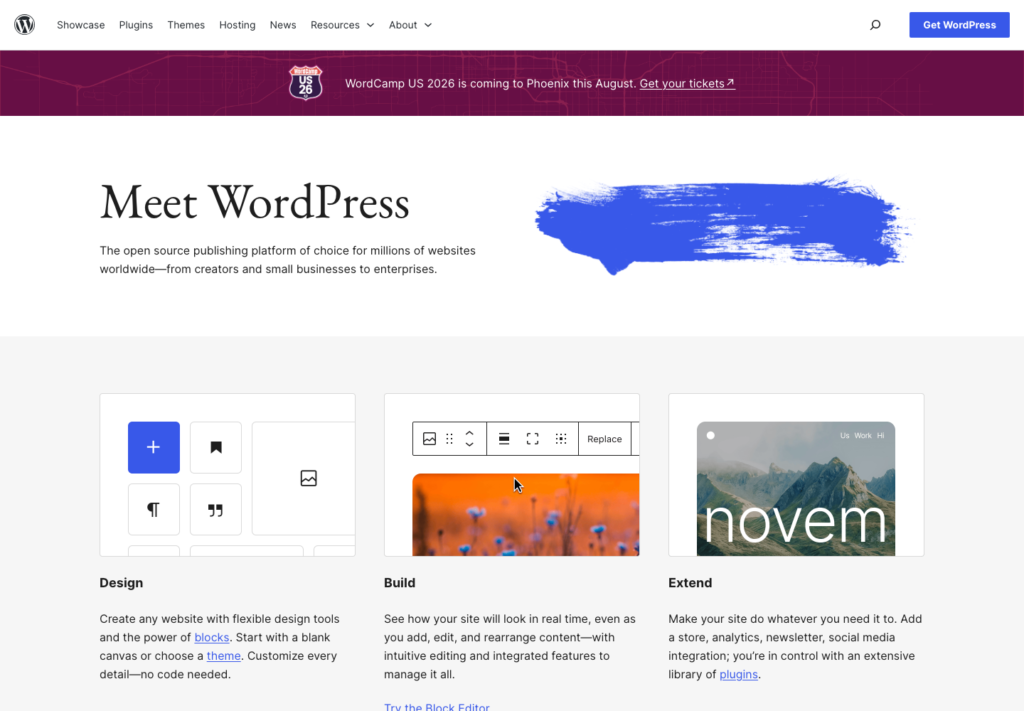
These screenshots were captured from the relevant official sites while preparing this article. They are used as visual references so the guide feels concrete, not generic.
Categories look harmless when you set up WordPress. It is tempting to create a category for every future idea: WordPress, SEO, AI, AdSense, hosting, domains, automation, tools, analytics, email marketing, social media, and more.
The problem is that a new site with many empty categories can feel unfinished. It may look like a big site from the menu, but when readers click around, they find thin sections with one post or no posts.
For a small AdSense-focused site, fewer categories are usually better at the beginning.
Categories are promises
A category is not just a label. It is a promise that the site has a meaningful section about that topic.
If a reader clicks "SEO" and sees one short article, the category feels weak. If they click "WordPress Setup" and see six useful beginner guides, the site feels more trustworthy.
This matters before monetization because the site should look useful, organized, and real. Good categories help readers understand the site. Too many categories make the site look scattered.
Categories versus tags
In WordPress, categories are broad sections. Tags are more specific labels.
A simple example:
- Category: WordPress Setup
- Tags: hosting, domain, theme, plugins, SSL
Another example:
- Category: AI Writing
- Tags: fact-checking, outlines, thin content, editing, prompts
Categories should shape navigation. Tags should help connect related details without becoming the main site structure.
Beginners often create too many categories because they are using categories like tags. That usually makes the site harder to understand.
Start with three to five connected categories
For a new AdSense-focused blog around WordPress, AI writing, SEO, and automation, a practical starting structure might be:
- WordPress Setup
- AdSense Readiness
- AI Writing Workflow
- SEO and Search Console
- Blog Automation
That is enough to organize the first 30 posts without making the site feel random.
Each category should have a clear role:
- WordPress Setup helps readers build the site.
- AdSense Readiness helps readers prepare trust, policy, and content quality.
- AI Writing Workflow helps readers use AI responsibly.
- SEO and Search Console helps readers learn discoverability.
- Blog Automation helps readers improve operations without auto-publishing carelessly.
These categories connect to one reader journey: build a useful WordPress blog and prepare it for responsible monetization.
Avoid empty category pages
An empty category page is a bad first impression.
Before adding a category to the main menu, ask:
- Does this category have at least three useful posts?
- Will it have more posts soon?
- Does it help readers navigate?
- Is it different enough from the other categories?
- Does it fit the site’s current topic focus?
If the answer is no, wait.
You can still draft posts for a future category. Just do not make it a major navigation item until it has enough substance.
How categories support internal linking
Categories are useful because they help posts connect naturally.
For example, a post about WordPress hosting can link to:
- a WordPress.org versus WordPress.com comparison
- an AdSense approval checklist
- a domain naming guide
- a Search Console setup guide
Those links make sense because the posts are part of the same beginner journey.
If the site has too many unrelated categories, internal linking becomes weaker. The posts may exist on the same domain, but they do not support each other.
Homepage and menu strategy
For a small site, the homepage should make the topic clear quickly. The menu should not look like a large magazine.
A simple navigation could be:
- Start Here
- WordPress
- AdSense
- AI Writing
- SEO
- About
Footer links can hold Privacy Policy, Contact, Disclaimer, and Editorial Policy.
Do not put every tag or future idea in the top menu. A simple menu makes the site easier to scan on mobile.
When to add a new category
Add a category when the site has earned it.
Good reasons to add a category:
- you have several posts ready
- the topic is important to the reader journey
- the category would make navigation clearer
- the existing categories are becoming too broad
- Search Console data shows a growing topic cluster
Weak reasons to add a category:
- you may write about it someday
- a competitor has it
- the keyword sounds profitable
- you want the site to look bigger
Site structure should follow content strategy, not ego.
A simple approval-stage category plan
For the first 30 posts, choose three to five categories and keep them connected. Make sure each category has multiple useful posts. Keep tags specific but controlled. Link related posts together. Avoid empty menu items.
This will not guarantee AdSense approval, and categories alone do not determine approval. But a clean structure helps the site feel complete, useful, and easier to review.
For a new blog, clarity beats size.
Useful references: Google AdSense eligibility guidance, Google SEO Starter Guide.
Related reading
Before You Publish
- Confirm the title includes the focus keyword naturally.
- Check that the meta description is clear and not too short.
- Add one or two relevant internal links after related posts exist.
- Use only images that you own, created yourself, or have permission to publish.
- Keep the article ad-free until AdSense is approved and connected properly.
The practical goal is not to make the article look optimized only to a plugin. The goal is to make it readable, trustworthy, and useful enough that the optimization score reflects real quality.
Use categories as shelves, not keyword stuffing
A small WordPress site should start with a few durable shelves. Categories like WordPress Setup, SEO and Search, AI Automation, Local AI, Privacy, and Home Lab can make sense if each one has enough public content. Ten nearly empty categories make the site look thinner and harder to scan.
Do not create a category for every keyword variation. Use tags or internal links for narrow ideas. A category should help a reader browse a meaningful group, and it should help the owner decide what pillar or support article needs work next.
Review category pages before applying for AdSense. If a page exposes only one article, duplicate snippets, or confusing navigation, fix the structure first. Then use the Search Console guide to watch impressions and queries after publishing.
| Category decision | Better choice | Avoid |
| Main shelves | Use 4-7 durable topic groups that match real content. | Creating a new category for every article idea. |
| Pillars | Build a strong pillar when a cluster has multiple support posts. | Publishing isolated support posts without a clear hub. |
| Navigation | Show categories readers can understand in one glance. | Using internal labels that only the writer understands. |
| Cleanup | Merge, rename, or hide empty categories before review. | Letting empty archive pages signal thin structure. |
Final review before this draft is ready
Check the page on a phone before publishing. The title should wrap cleanly, the first paragraph should answer the visitor quickly, and every table should keep visible borders without forcing the reader to pinch and guess.
Use official pages for setup, pricing, policy, documentation, or product limits. If a platform changes often, phrase the recommendation as a decision rule and note that the source was checked in July 2026 rather than pretending the number will stay fixed forever.
The reader should leave with one clear next action: choose a host, create trust pages, protect the domain, simplify categories, or read Search Console signals before monetizing.
WordPress Categories publishing checks
WordPress Categories work should end with a practical decision, not just a list of features. Recheck the official source, confirm the risk that matters most, and test one small workflow before applying the advice to a full site, device, account, or team process.
For current details, review WordPress category documentation. Interface names, pricing, AI controls, privacy settings, and documentation links can change, so the final recommendation should match the current source rather than an old screenshot.
| Check | What to verify | Why it matters |
| Structure | Use categories for durable groups, not one-off tags. | Prevents thin archive pages. |
| Navigation | Link related posts inside each cluster. | Helps readers move through the site. |
| Cleanup | Remove or merge empty categories before review. | Improves trust and crawl clarity. |