Local AI and cloud AI solve different problems. The mistake is asking which one is universally better.
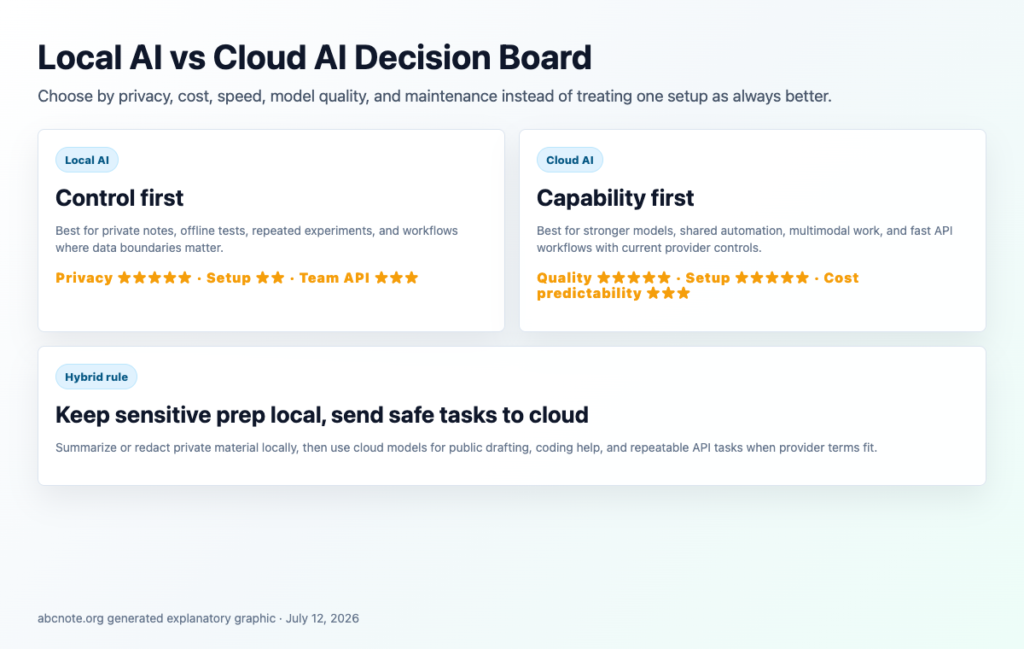
Quick answer: use local AI when privacy, offline access, or predictable experimentation matters most. Use cloud AI when you need stronger models, easier setup, team access, or reliable API automation. Many practical workflows use both.







Logo sources checked
- Ollama: Official Ollama site logo asset.
- LM Studio: Official LM Studio brand download asset.
- GPT4All / Nomic: Official GPT4All documentation Nomic logo asset.
- ChatGPT: ChatGPT mark used for editorial identification; OpenAI brand terms checked.
- Claude: Official Claude web app icon from claude.ai.
- Gemini: Official Gemini sparkle icon served by Google’s Gemini app.
- OpenAI: OpenAI wordmark used for editorial identification; OpenAI brand terms checked.
What local AI and cloud AI mean in plain English
Local AI means the model runs on your own computer or private server. Examples include Ollama, LM Studio, GPT4All, and other local model runners. The appeal is control: private notes, offline experiments, and repeated tests can stay closer to your device. The tradeoff is setup, hardware, speed, model choice, updates, and local security.
Cloud AI means the model runs on provider infrastructure and you access it through an app or API. Examples include ChatGPT, Claude, Gemini, OpenAI API, Claude API, and Gemini API. The appeal is capability and convenience: stronger models, easier team access, stable APIs, and less hardware maintenance. The tradeoff is that you must read provider data-use rules, account settings, retention, connected apps, and privacy boundaries.
A practical beginner setup is often hybrid: use local AI for sensitive preparation and cloud AI for public drafting, coding help, source checking, and repeatable API workflows after private details are removed.
Related Local AI guides
- Ollama for Beginners: How to Run Local AI on Your Computer
- LM Studio for Beginners: Try Local AI Models Without the Command Line
- Local AI Privacy Checklist: What Still Can Leak From Your Computer
Related Cloud AI guides
- OpenAI API for Beginners: When Cloud AI Beats Running Local Models
- Cloud AI Privacy Checklist: ChatGPT, Claude, Gemini, and API Tools
Previous abcnote guides to connect this cluster
- What Is an LLM? ChatGPT, Claude, Gemini, and Local AI Explained Simply
- API Keys and App Passwords: The Beginner Security Mistake That Breaks Automation
- How to Build a Personal AI Assistant Without Leaking Private Data
Why people search this
Imagine ABC Studio has three tasks:
- summarize private meeting notes
- rewrite public blog outlines
- classify hundreds of article ideas every week
- test an automation that may later connect to WordPress drafts
The private notes feel risky in a cloud tool. The public outlines are fine in a cloud model. The article classification task might be cheaper locally after setup, but only if the computer is fast enough and the team can maintain it.
That is the real decision. Local AI is not automatically private if the app logs data badly. Cloud AI is not automatically expensive if the task is small. The right answer depends on data sensitivity, model quality, speed, and maintenance.
Local AI vs cloud AI scorecard
| Criterion | Local AI | Cloud AI |
|---|---|---|
| Privacy control | ★★★★★ if data stays on your machine | ★★★ depends on provider policy and account settings |
| Setup difficulty | ★★ requires install, model choice, and hardware checks | ★★★★★ usually easiest to start |
| Model quality | ★★★ improving fast, varies by hardware/model | ★★★★★ strongest models usually arrive here first |
| Speed | ★★★ can be fast on strong hardware, slow on weak laptops | ★★★★ fast if API and network are stable |
| Predictable cost | ★★★★ no per-token bill after setup, but hardware costs matter | ★★★ usage-based; great for small tasks, can grow |
| Team automation | ★★★ needs local server or network planning | ★★★★★ API-first tools are easier to share |
The scorecard is not a winner board. It is a fit board.
When local AI is the better first choice
Local AI is worth testing when your content is sensitive, repetitive, or experimental.
Good local AI use cases:
- summarizing private notes before deciding what can leave your machine
- classifying personal files or draft ideas
- testing prompts without worrying about usage cost
- running simple automation while offline
- learning how models behave without depending on one vendor
Tools such as Ollama make local model testing much more approachable than it used to be. The tradeoff is that you now own the setup: installation, model selection, memory use, updates, and troubleshooting.
When cloud AI is the better first choice
Cloud AI is often better when you need capability more than control.
Good cloud AI use cases:
- writing and research assistance with public or low-risk material
- coding help where a stronger model saves time
- API workflows that need consistent uptime
- team workflows where several people need access
- image, audio, or multimodal tasks that local tools cannot handle well
For example, a blog automation workflow can use a cloud model to draft public article sections, then keep credentials, private notes, and approval logs outside the prompt.
The privacy question beginners miss
Privacy is not only local versus cloud. Ask these questions:
| Question | Safer beginner answer |
|---|---|
| Is the data private, confidential, regulated, or personal? | Keep it local or remove sensitive parts first. |
| Does the provider use API data for training by default? | Check official data-control docs, not forum rumors. |
| Does the app store prompt history? | Turn off history where possible or avoid sensitive inputs. |
| Are screenshots clean? | Remove emails, tokens, addresses, and account names. |
| Can the workflow act on accounts? | Add human approval before sending, publishing, deleting, or buying. |
OpenAI’s current API data-control guidance says API data is not used to train models unless the customer opts in. That still does not mean you should paste secrets into prompts. Data retention, abuse monitoring, app-layer logs, and connected tools all matter.
Cost: the part that surprises beginners
Local AI looks free because there is no obvious per-message bill. But local AI still has costs:
- stronger laptop or desktop hardware
- electricity
- setup time
- troubleshooting
- slower output on weak machines
- lower quality if the local model is not good enough
Cloud AI looks expensive because usage is metered. But for small workflows, it can be cheaper than buying hardware or wasting hours on setup.
Use this rule:
If the task is rare, cloud AI is usually cheaper to start. If the task repeats daily and uses non-sensitive data, compare API cost against local setup time. If the task uses sensitive data, privacy may outweigh cost.
A practical hybrid setup
For a beginner tech blog, a hybrid setup can look like this:
- Use local AI to summarize private notes into safe bullet points.
- Remove private names, tokens, account details, and screenshots.
- Use cloud AI to turn safe notes into a structured draft.
- Use official sources to fact-check.
- Upload only to WordPress draft, not publish.
- Keep a human review step before anything goes public.
That workflow gives you privacy where it matters and quality where it helps.
First workflow to try
Create three test files:
- one public article idea
- one private note with fake placeholder data
- one technical source link
Run the same summary prompt through a local model and a cloud model. Compare:
- accuracy
- speed
- writing quality
- whether it followed instructions
- how easy it was to repeat
- whether any sensitive data would have left your machine
Do not choose based on one impressive answer. Choose based on the workflow you can safely repeat.
Tool setup guides in this cluster
- Claude for Beginners: How to Start Using Claude on Web, Desktop, and Mobile
- Gemini for Beginners: How to Use Google’s AI Assistant on Web, Mobile, and Chrome
- Ollama for Beginners: How to Run Local AI on Your Computer
- LM Studio for Beginners: Try Local AI Models Without the Command Line
Bottom line
Local AI is best when control and privacy matter. Cloud AI is best when capability, convenience, and automation reliability matter. A good beginner setup does not need to be ideological. It needs to be clear about which data can go where, what each model is allowed to do, and where human review happens.
Last checked: July 12, 2026.
The break-even point needs the same accepted workload
Assume local hardware allocated at $30 per month plus $5 measured electricity. If cloud work costs $0.02 per accepted task, the simple $35 ÷ $0.02 break-even is 1,750 tasks before operator time and other differences.
| Situation | Next check | Why it changes the decision |
|---|---|---|
| Workloads have different quality | Compare accepted tasks under the same rule. | Cheap outputs that need rework are not equivalent. |
| Sensitive data cannot leave | Treat the data boundary as a requirement. | The cheapest route can be outside the permitted design. |
| Local runtime is unavailable | Define the pause or approved fallback behavior. | A cost plan should include the failure path. |
The figures are invented calculation inputs, not current provider or hardware costs. A hybrid workflow can divide tasks, but its cloud steps still require their own privacy and cost review.