Quick answer: the safest Matter smart home setup is not “buy anything with the Matter logo.” Start with the ecosystem you already use every day, confirm that you have a real Matter controller, add a Thread border router if you plan to use battery sensors, keep Wi-Fi devices on a strong home network, and buy one device category at a time. Matter helps Apple Home, Google Home, Alexa, SmartThings, and Home Assistant speak a more common language, but it does not erase every limitation, cloud account, radio choice, or privacy decision.
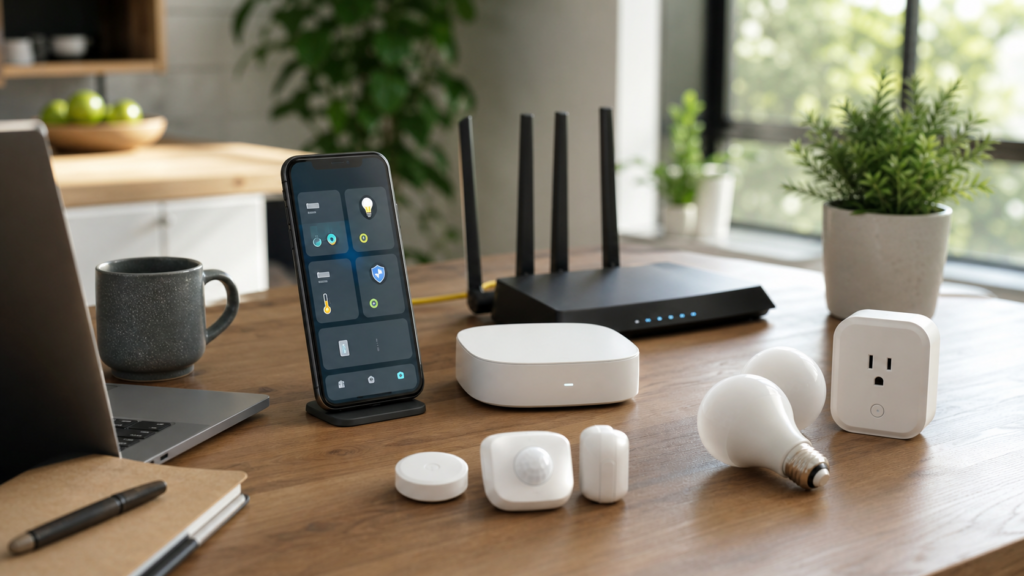
Matter is one of the most useful smart home standards to understand before buying lights, plugs, locks, blinds, sensors, thermostats, hubs, or robot vacuums. It is also easy to misunderstand. A product can support Matter and still require the right controller. A sensor can support Matter over Thread and still need a Thread border router. A camera can be smart and still not behave like a Matter device in the way buyers expect. A home can have Wi-Fi 7 and still suffer if cheap smart plugs crowd a weak 2.4 GHz network.
This guide is for homeowners, renters, parents, and home-lab readers who want a practical setup plan before buying devices. It connects the smart home shopping decision to network quality, privacy, account security, automation reliability, and long-term platform choice. If you are still deciding between Apple Home, Google Home, Alexa, SmartThings, or Home Assistant, read abcnote’s Apple Home vs Google Home vs Home Assistant guide alongside this one. If your router is old or the house has weak coverage, start with abcnote’s Wi-Fi 7 vs 6E smart home office guide and home network upgrade guide before filling carts with devices.
Matter smart home setup in one minute
| Decision | Best practical move | Why it matters |
|---|---|---|
| Main ecosystem | Choose Apple Home, Google Home, Alexa, SmartThings, or Home Assistant as the daily control layer | Matter reduces lock-in, but your family still opens one app or uses one voice assistant most days. |
| Matter controller | Confirm that a hub, speaker, display, TV box, or Home Assistant setup can act as the controller | Matter devices need a controller for pairing, control, and ecosystem access. |
| Thread border router | Add one if you want battery sensors, buttons, blinds, or locks using Thread | Thread is a low-power mesh radio; Matter over Thread needs a bridge to the home network. |
| Wi-Fi quality | Fix router placement, coverage, 2.4 GHz reliability, and passwords before adding many devices | Matter over Wi-Fi devices still depend on your network. |
| Device category | Start with lights, plugs, and sensors before door locks, garage doors, or security routines | Low-risk devices teach the system without risking access or safety. |
| Security | Use strong accounts, updates, guest networks where useful, and minimal app permissions | A smart home is a network of accounts and radios, not just gadgets. |
Matter, Thread, Wi-Fi, Zigbee, and Bluetooth: plain-English definitions
The easiest way to avoid confusion is to separate the language from the road. Matter is the application standard: the shared way a supported device exposes controls such as on/off, brightness, lock state, temperature, or sensor status to supported platforms. Thread, Wi-Fi, Ethernet, and sometimes Bluetooth commissioning are roads that help devices connect or get set up. Zigbee is a different smart-home radio that still exists in many mature setups, usually through a bridge or hub.
Matter
A shared smart-home application standard backed by the Connectivity Standards Alliance. It helps supported devices work across supported platforms.
Thread
A low-power mesh networking technology for devices such as sensors, buttons, locks, and blinds. It is not the same thing as Matter.
Matter over Wi-Fi
Matter devices that use the home Wi-Fi network, often for plugged-in products such as bulbs, plugs, switches, appliances, and controllers.
Matter over Thread
Matter devices that use Thread radio and need a Thread border router to connect back to the rest of the home network.
Matter controller
The platform brain that pairs and controls Matter devices, such as supported speakers, hubs, displays, TVs, or Home Assistant setups.
Thread border router
The device that connects a Thread mesh to your IP network. Some smart speakers, hubs, routers, and TV boxes can play this role.
Bluetooth often appears during commissioning, which means the first pairing process. That does not mean the device will run daily over Bluetooth. Zigbee and Z-Wave are not dead either. Many homes still run very reliable Zigbee lighting or Z-Wave lock networks through hubs. Matter is a new layer of compatibility, not a magic eraser for every older protocol.
Rule 1: choose the daily control layer before buying devices
Most buyers ask, “Does this work with Matter?” The better first question is, “Which app or voice assistant will my household actually use?” Matter can let a device appear in more than one ecosystem, but your spouse, children, guests, or tenants will still need a simple daily interface. If the home is full of iPhones and Apple TVs, Apple Home may be the natural starting point. If the home uses Nest speakers, Android phones, and Google services, Google Home may feel smoother. If Alexa speakers are already in several rooms, Alexa might remain the family control layer. If you enjoy tinkering, local automations, dashboards, and integrations, Home Assistant may be the power-user layer.
The platform choice also affects troubleshooting. A Matter device can be paired through one ecosystem and shared to another, but the owner app, firmware path, multi-admin sharing, and automation features can vary. When something breaks, the question becomes: is the device offline, is the Thread mesh weak, is the Wi-Fi weak, is the controller offline, is a vendor cloud account down, or is one ecosystem not exposing a feature?
| Main layer | Good fit | Watch before committing |
|---|---|---|
| Apple Home | iPhone households, Apple TV/HomePod users, privacy-sensitive families, simple automations | Check whether you have a supported home hub and whether all desired device categories behave as expected. |
| Google Home | Android/Nest households, Google Assistant routines, mixed family use | Confirm Matter support for the exact device category and current Google Nest hardware. |
| Amazon Alexa | Echo households, voice-first routines, broad device availability | Some features may still depend on vendor skills, accounts, or Alexa-specific capabilities. |
| SmartThings | Samsung households, appliance tie-ins, hub-based mixed protocols | Matter support helps, but older Zigbee/Z-Wave and appliance behaviors may still need careful setup. |
| Home Assistant | Home-lab users, local control fans, dashboards, advanced automations | More powerful, but it requires more maintenance and clearer backup habits. |
Rule 2: confirm your Matter controller, not just the logo
A Matter logo on a box tells you the accessory participates in the Matter ecosystem. It does not mean your current home can pair it without the right controller. Apple, Google, Amazon, Samsung, and Home Assistant each publish support material for Matter. Before buying ten devices, confirm which of your current hubs, speakers, displays, routers, or TV boxes can act as a Matter controller.
This is especially important for renters and families who bought smart speakers years ago. A voice speaker may be useful but not support the exact Matter role you need. A router may be excellent for Wi-Fi but not include Thread. A smart TV box may be sitting unused in a room but quietly be the best home hub you already own. The cheapest Matter setup is often the one that starts by inventorying devices you already have.
- Ask first: Which device in my home is the Matter controller?
- Ask second: Does it also include a Thread border router?
- Ask third: Does my preferred platform support this exact product category?
- Ask fourth: Can I update the controller firmware before pairing?
- Ask fifth: If the controller fails, does the family still have a simple fallback?
Rule 3: buy Thread for sensors, not because it sounds newer
Thread is excellent for many battery-powered smart-home devices because it is designed for low-power mesh networking. Door sensors, motion sensors, temperature sensors, buttons, blinds, and some locks can benefit from Thread. But Thread is not automatically better for every device. A plugged-in camera, streaming display, or bandwidth-heavy appliance may use Wi-Fi or Ethernet for good reasons. A smart plug may use Wi-Fi and work perfectly if the network is strong.
Thread also requires placement discipline. A Thread border router cannot help if the mesh is too sparse or if a remote sensor is far away from other Thread devices. Build it gradually: start with a border router in a central spot, add one or two devices near it, then extend outward. If a device frequently goes offline, the solution may be another mains-powered Thread device, a better border-router location, or a simpler Wi-Fi product in that area.
| Device type | Matter over Thread fit | Matter over Wi-Fi fit |
|---|---|---|
| Door/window sensor | Usually strong fit because low power matters | Possible but less common for small battery sensors |
| Motion sensor | Strong fit for battery life and mesh placement | Possible for powered devices, but not always ideal |
| Smart bulb | Can work, but check platform and Thread mesh | Common and simple when Wi-Fi is strong |
| Smart plug | Can be useful as a mesh extender if Thread-supported and powered | Very common; watch router/device count |
| Door lock | Useful but higher-risk; verify platform, battery, backup key, and household access | Possible, but reliability and security matter more than the radio |
| Camera | Not the core Matter use case for many buyers | Usually Wi-Fi or Ethernet; verify ecosystem behavior separately |
Rule 4: fix Wi-Fi before adding dozens of smart devices
Matter over Wi-Fi still depends on Wi-Fi. Many smart devices use 2.4 GHz because it travels farther and works well for low-bandwidth gadgets. That can be fine, but older routers, crowded apartments, poor placement, weak passwords, and confused band steering can make the smart home feel unreliable. If lights, plugs, and speakers drop offline, Matter may not be the problem.
Before buying a large smart-home bundle, walk through router placement, firmware updates, coverage, password hygiene, and guest network options. abcnote’s home network upgrade guide covers the broader foundation. If you are choosing a new router, the Wi-Fi 7 vs 6E guide explains when new wireless standards matter and when Ethernet, mesh placement, or a better router matters more.
Do not put every smart device on a random guest network unless you understand how your platform discovers and controls devices. Segmentation is useful, but overly aggressive isolation can break setup flows, casting, local discovery, or hub communication. For most families, the first step is a strong unique Wi-Fi password, updated router firmware, good coverage, and separate guest access for visitors. Power users can add VLANs or OpenWrt-style segmentation later; abcnote’s OpenWrt vs stock router firmware guide is a better fit for that deeper step.
Rule 5: start with low-risk rooms and low-risk devices
A smart home becomes frustrating when the first project touches doors, garages, alarms, cameras, or critical family routines. Start with devices that are easy to remove: lamps, smart plugs, a hallway motion sensor, a temperature sensor, or a few bulbs in a non-critical room. Once the controller, app, Wi-Fi, Thread, and firmware flow feel stable, move to locks, security routines, water sensors, blinds, thermostats, and garage doors.
Best first project
Two lamps, one plug, one motion sensor, and one simple evening automation. Low risk, easy to test, and easy for family members to understand.
Good second project
Entryway sensor, hallway light, or laundry reminder. It teaches sensor reliability without controlling access to the house.
Wait before this
Door locks, garage doors, camera automations, and anything that can lock someone out, wake a child, or create a false security assumption.
Always test manually
Every automation should have a normal switch, button, app, or physical fallback. Smart homes should reduce stress, not trap the household.
Rule 6: do not confuse interoperability with feature equality
Matter’s promise is interoperability, but interoperable does not always mean every feature appears in every app. A device may expose basic on/off control but keep advanced scenes, energy reporting, adaptive lighting, color effects, camera features, device-specific calibration, or firmware updates inside the manufacturer’s own app. That is not always a deal-breaker. It is a reason to buy based on the features you actually need.
For example, a Matter smart plug that turns a lamp on and off in Apple Home, Google Home, Alexa, and Home Assistant may be a success even if advanced energy reports remain in the vendor app. A lock is different: access codes, guest schedules, battery warnings, auto-lock settings, and emergency behavior are core to trust. The more safety-sensitive the device, the more carefully you should verify the exact platform behavior before buying.
| Feature | Usually okay if basic Matter works | Verify carefully |
|---|---|---|
| On/off lights and plugs | Yes. Basic control is often the main need. | Check dimming or color controls if those matter. |
| Motion and contact sensors | Yes, if status updates are fast and reliable. | Check battery reporting and automation delay. |
| Thermostats | Maybe. Basic temperature control helps. | Schedules, eco modes, sensors, and utility integrations may vary. |
| Locks | No. Treat as high-trust devices. | Access codes, backup key, logs, battery alerts, and household sharing. |
| Cameras | No. Camera support is a separate practical problem. | Recording, alerts, privacy zones, cloud plan, local storage, and app behavior. |
| Robot vacuums | Maybe. Matter support is improving by category. | Maps, rooms, no-go zones, cleaning modes, and vendor app dependence. |
Rule 7: secure the accounts before automating the rooms
A Matter smart home setup can touch accounts from Apple, Google, Amazon, Samsung, device vendors, router makers, Home Assistant, and cloud integrations. Good security starts with the accounts. Use strong unique passwords or passkeys where available, protect the main email account, keep recovery options current, and avoid sharing one admin account with everyone in the household. abcnote’s passkeys or password managers guide is directly relevant because a smart home often fails through account weakness before it fails through radio protocol weakness.
Smart-home security is also physical. A door lock should have a physical fallback. A guest code should expire. A camera should not point where privacy matters. A child should not be able to unlock a door through a casual voice command. A guest network should not expose admin settings. A firmware update should not be ignored forever. CISA and NIST both publish guidance that points in the same practical direction: inventory devices, update software, use strong authentication, limit unnecessary access, and plan for replacement.
AI adds one more layer. As browser agents and automation tools become more common, do not hand a general AI assistant unrestricted access to smart-home admin pages, router settings, password vaults, or camera dashboards. The same principle from abcnote’s AI browser agent safety guide applies at home: separate profiles, limited permissions, human review, logs, and no unnecessary access to high-risk accounts.
A practical buying order for a Matter smart home setup
| Step | Buy or check | Pass condition |
|---|---|---|
| 1 | Inventory current phone ecosystem, speakers, TV boxes, hubs, router, and smart devices | You can name the daily control app and the likely Matter controller. |
| 2 | Update controller, router, phone, and existing smart-home apps | Pairing starts from current firmware, not stale software. |
| 3 | Confirm Thread border router only if you plan Thread devices | You know which device provides Thread border-router support. |
| 4 | Buy one starter device category | A plug, bulb, or sensor pairs cleanly and works for one week. |
| 5 | Add two simple automations | They work manually, on schedule, and after a phone restart. |
| 6 | Expand to room-by-room groups | Family members can understand the names and controls. |
| 7 | Only then add high-trust devices | Locks, cameras, thermostats, leak shutoff, and garage devices have backup plans. |
Sample setup paths
Apple household
An Apple household might use an Apple TV or HomePod as the home hub, pair Matter accessories through the Home app, and keep sensitive access inside family sharing rules. The practical checklist is simple: confirm the Apple device can act as the hub, confirm Thread support if buying Thread devices, name rooms clearly, and avoid buying devices whose best features are locked to a vendor app you dislike.
Google or Nest household
A Google household should check current Nest hardware, Google Home support, and whether each device category behaves the way the family expects. Google Home can be convenient for Android users and voice routines, but the same rule applies: verify controller support, Thread support, and category support before buying in bulk.
Alexa household
An Alexa household often has Echo devices across several rooms. That can make voice control easy, but buyers should still verify which Echo hardware supports Matter roles and whether a specific device relies on an Alexa skill, Matter pairing, or both. Voice-first homes need clear device names, room names, and privacy settings.
SmartThings household
SmartThings can be a strong choice for Samsung appliances, hubs, and mixed smart-home hardware. It is also common in homes that already have Zigbee or Z-Wave devices. Matter can improve future compatibility, but older hub-based devices may still remain valuable. Do not replace stable Zigbee or Z-Wave hardware just because a new box says Matter.
Home Assistant household
Home Assistant is powerful for local dashboards, custom automations, and home-lab style control. It can also become a maintenance project. If you choose this route, treat backups, update discipline, network stability, and documentation as part of the smart home. The same thinking behind abcnote’s secure home lab guide applies: build the foundation before relying on complex workflows.
Room-by-room examples
| Room | Starter devices | Automation idea | Caution |
|---|---|---|---|
| Living room | Smart plug, two bulbs, motion sensor | Evening scene turns on lamps at sunset | Keep physical lamp switches understandable. |
| Kitchen | Leak sensor, plug for non-critical appliance, temperature sensor | Leak sensor sends alert | Do not automate high-heat appliances casually. |
| Bedroom | Bulbs, button, temperature sensor | Bedtime button turns off lamps | Avoid routines that wake someone when a sensor misfires. |
| Entryway | Contact sensor, smart light, possibly lock later | Door opens after dark, light turns on | Test lock behavior for weeks before relying on it. |
| Garage | Contact sensor, light, camera or controller later | Open status reminder | Garage control has safety and security implications. |
| Home office | Smart plug, presence sensor, router UPS monitor | Desk lamp and fan follow work hours | Protect work accounts and network admin access. |
Troubleshooting checklist
When a Matter device fails, avoid random resets as the first move. Resetting can make the problem worse if the real issue is Wi-Fi, Thread reach, controller firmware, app permissions, or a vendor outage. Work from the foundation upward.
- Check power: Is the device powered, charged, or within battery range?
- Check controller: Is the Matter controller online and updated?
- Check Thread: If it is a Thread device, is the border router online and near enough?
- Check Wi-Fi: If it is Wi-Fi, is the 2.4 GHz network stable where the device sits?
- Check app ownership: Which app originally paired the device, and was it shared to other ecosystems?
- Check vendor app: Does a firmware update or account permission block the feature?
- Check names: Duplicate room or device names can make voice control unreliable.
- Check automation logic: Time zones, sunrise/sunset, presence, and motion delays can create false failures.
What not to buy first
Do not start with a giant discounted bundle of mixed-brand bulbs, plugs, sensors, cameras, and locks. Do not start with a door lock if nobody in the home understands the app. Do not start with a camera system before deciding cloud recording, privacy zones, storage, and household access. Do not buy Thread sensors without a Thread border router. Do not buy Matter devices only because a reviewer says the standard is the future. Buy for the job, the room, the platform, and the network you actually have.
Also be careful with no-name devices that require obscure apps, unnecessary permissions, or unclear update policies. A cheap plug is not cheap if it becomes an account risk, drops offline weekly, or needs a privacy tradeoff you would not accept for a more trusted brand. Look for clear documentation, supported platforms, update history, and return policy.
Source notes and date checked
Sources were checked on July 23, 2026. Matter versions, platform support, supported device categories, and hub roles change over time. Before buying, confirm the current official support page for your exact controller, exact accessory, exact country, and exact app version. This article avoids claiming that every Matter device works equally across every ecosystem because official platform support and device-category behavior remain practical purchase checks.
- Connectivity Standards Alliance: Matter
- Connectivity Standards Alliance: Matter 1.4 specification release
- Thread Group: What is Thread?
- Apple Support: Use Matter accessories with Apple Home
- Google Nest Help: Matter compatibility
- Amazon Alexa Help: Matter smart home
- Samsung SmartThings: Matter
- Home Assistant: Matter integration
- CISA: Securing smart home devices
- NIST: Profile of the IoT Core Baseline for Consumer IoT Products
- FCC: Securing your wireless network
- Wi-Fi Alliance: Wi-Fi CERTIFIED 7
Bottom line: Matter is a setup plan, not a shopping shortcut
Matter is worth caring about because it improves the odds that smart-home devices can work across major ecosystems. But a good Matter smart home setup still depends on the order of decisions: platform, controller, Thread border router, Wi-Fi, device category, account security, and room-by-room testing. When that order is right, Matter can make a home easier to expand. When that order is wrong, the logo on the box will not save a weak network or a confusing family workflow.
The practical path is boring in the best way. Use the ecosystem your household already understands. Confirm the controller. Add Thread only where it helps. Fix Wi-Fi before blaming devices. Start with low-risk automations. Protect accounts. Then expand slowly. That is how a smart home becomes useful instead of becoming another support job.
Matter compatibility check before buying
Verify the exact Matter controller, device type, firmware, and ecosystem support on the manufacturer’s compatibility page. If the accessory uses Thread, confirm that your home has a compatible Thread border router; a controller and a border router perform different functions even when combined in one device. Pair one accessory first, power-cycle it, and test the automation before buying a full set.
The Matter logo does not identify every role in the setup
Consider an illustrative home with a Matter-compatible light and a Thread sensor. List the device's transport, the controller used to commission it, and any required border-router function before buying another hub.
| Situation | Next check | Why it changes the decision |
|---|---|---|
| Device uses Wi-Fi | Check its required network and supported controller. | A Thread purchase may not solve a Wi-Fi issue. |
| Device uses Thread | Confirm a supported Thread border router in the chosen setup. | A controller and a border router are different functions. |
| Device pairs but a feature is absent | Compare the feature in each ecosystem's documentation. | Basic interoperability does not guarantee identical controls. |
Use exact model and firmware information for the comparison. This is a role-mapping exercise; it does not certify a particular combination of devices or a promised feature update.