Quick answer: a good robot vacuum smart home setup is not just the most expensive robot with the strongest suction number. Buy for your floor plan first: mapping quality, obstacle avoidance, rug behavior, pet-hair handling, dock placement, maintenance cost, app privacy, Wi-Fi reliability, and smart-home compatibility. Matter support is useful to watch because robot vacuums are part of the Matter smart-home roadmap, but today the best buying decision still comes from how the robot handles your rooms, thresholds, chairs, cables, pets, and cleaning routine.
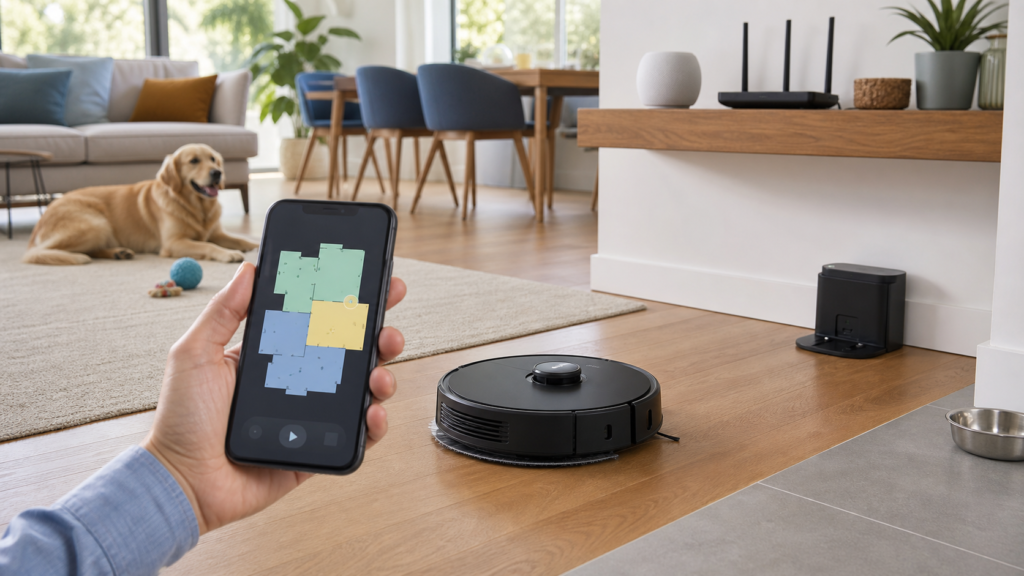
Robot vacuums moved from novelty gadgets to mainstream home technology because they solve a real daily problem: floors get dirty faster than people want to clean them. The catch is that real homes are messy. A showroom floor has open space, perfect lighting, no charger cables, no toy blocks, no pet bowls, no black rugs, no high thresholds, and no dining chairs with narrow legs. A real living room has all of those things, plus people who forget to empty bins, move laundry, or update the app.
This guide is for homeowners, renters, parents, pet owners, home-lab readers, and smart-home beginners who want a practical buying plan before spending money. If you are building a broader connected home, read abcnote’s Matter smart home setup guide and Apple Home vs Google Home vs Home Assistant guide alongside this article. If devices often disconnect in your house, start with abcnote’s home network upgrade guide or Wi-Fi 7 vs 6E guide before blaming the vacuum.
Robot vacuum smart home setup in one minute
| Buying decision | Best practical move | Why it matters |
|---|---|---|
| Mapping | Choose LiDAR or strong visual mapping if you want room cleaning, no-go zones, and reliable schedules | Random-bounce robots can still clean small spaces, but mapped cleaning is easier to manage in larger homes. |
| Obstacle avoidance | Prioritize it if you have pets, children, cables, socks, toys, or low furniture | A robot that spreads a mess or eats a cable creates more work than it saves. |
| Dock type | Decide whether you need self-emptying, mop washing, drying, or simple charging | Advanced docks save labor but add size, cost, consumables, noise, and maintenance. |
| Floor type | Match suction, brush design, mop lift, and threshold handling to hardwood, tile, rugs, and carpet | The best robot for tile may not be the best robot for thick rugs or pet hair. |
| Smart-home fit | Check Apple, Google, Alexa, SmartThings, Home Assistant, and Matter status for the exact model | Voice control is convenient, but core maps and features often stay in the maker’s app. |
| Privacy | Review camera use, map storage, cloud account, sharing, updates, and account security | A mapping robot can collect home-layout data, room names, schedules, and sometimes images. |
Why robot vacuums are hard to buy well
Robot vacuum reviews can be confusing because the same model can feel brilliant in one home and annoying in another. The difference is usually the floor plan. A buyer with open hardwood, no pets, and simple furniture has a very different problem from a family with rugs, toys, chairs, long hair, water bowls, and a dock squeezed into a hallway. That is why a practical buying guide needs to start with the home, not with a ranking list.
The useful angle is simple: do not shop by suction number alone. Shop by mapping, obstacle handling, dock location, privacy, replacement parts, maintenance routine, and ecosystem fit. Those factors decide whether the robot becomes quiet automation or one more device that needs rescue every morning.
Mapping: the feature that changes daily use
Mapping is the difference between “the robot wanders around until the battery is low” and “the robot cleans the kitchen after dinner.” Modern robot vacuums may use LiDAR, cameras, structured light, sensors, wheel odometry, bump sensors, cliff sensors, and software maps in different combinations. The exact technology matters less than the result: can the robot create a reliable map, split rooms sensibly, remember zones, avoid restricted areas, and resume after charging?
For a small apartment with simple floors, a basic robot can be enough. For a two-story home, pets, children, mixed floors, or a large open living area, better mapping becomes more valuable. Room-by-room cleaning is not a luxury when the kitchen needs daily cleaning but bedrooms only need twice a week. No-go zones are not a gimmick when a robot gets stuck under one couch every day.
Good mapping signs
The app supports room names, zone cleaning, no-go zones, multi-floor maps, map backup, and sensible edits after furniture moves.
Weak mapping signs
The robot often forgets rooms, redraws walls, misses corners, cannot split spaces, or requires too much babysitting.
Best first test
Run the robot in daylight with normal furniture in place, then check whether the map matches how your household names rooms.
Practical limit
Even good mapping cannot solve every cable, sock, toy, pet accident, loose rug fringe, or blocked dock.
Obstacle avoidance: where cheap robots can become expensive
Obstacle avoidance is not only about fancy sensors. It is about whether the robot creates new problems. A weak robot can eat a phone cable, drag a sock, wedge under a cabinet, push a pet bowl, climb a rug edge, or smear a pet accident. The more chaotic the home, the more obstacle avoidance matters. Parents and pet owners should treat this as a core feature, not an optional upgrade.
Camera-based obstacle avoidance can be useful, but it creates privacy questions. Some robots use cameras or image recognition to identify objects. That may improve behavior around shoes, cables, and pet waste, but buyers should read the privacy policy, app settings, image-processing explanation, and account-security options. A home map plus camera snapshots is more sensitive than an ordinary vacuum cleaner.
| Home condition | Obstacle priority | What to check |
|---|---|---|
| Pet home | High | Pet-hair brush design, washable filters, bin size, accident avoidance, bowl handling, and noise tolerance. |
| Kids at home | High | Toy avoidance, cable avoidance, no-go zones, and whether small pieces can damage the brush. |
| Minimal apartment | Medium | Basic mapping and simple pickup habits may be enough. |
| Office or home lab | High | Cable avoidance, under-desk clearance, room schedules, and protection for power strips. |
| Elderly household | Medium to high | Simple app, reliable dock return, low maintenance burden, and no confusing alerts. |
| Dark rugs or high thresholds | High | Cliff-sensor behavior, threshold height, rug detection, and return-to-dock success. |
Mopping is useful, but read the fine print
Vacuum-and-mop models are popular because they promise a cleaner floor with less work. The real question is what kind of mopping the robot does. Some drag a damp pad. Some vibrate or rotate mop pads. Some lift the mop when crossing rugs. Some wash and dry mop pads at the dock. Some need frequent water changes. The more automated the dock, the more the system starts to feel like a small appliance instead of a simple robot.
Mopping is best on sealed hard floors with predictable messes. It is weaker for sticky spills, dried food, grout lines, heavy dirt, and homes with many rugs unless the robot can reliably lift or avoid the mop. Do not assume a robot mop replaces manual cleaning. It reduces light maintenance work. Deep cleaning still needs human attention.
| Mop feature | Good fit | Watchout |
|---|---|---|
| Damp pad | Light dust and maintenance cleaning | May drag dirt if not washed often. |
| Vibrating or rotating mop | Better light scrubbing on hard floors | Still not the same as manual scrubbing. |
| Mop lift | Mixed hard floor and low rug homes | Check lift height against your actual rugs. |
| Auto wash dock | Busy homes that will not wash pads manually | Requires dock space, water changes, cleaning, and replacement parts. |
| Auto dry dock | Homes worried about odor or wet pads | Adds cost, energy use, noise, and complexity. |
| Detergent system | Some manufacturer-approved floor routines | Use only approved solutions and check flooring warranties. |
Dock placement: the quiet reason robots fail
A robot vacuum can be excellent and still fail if the dock is in a bad spot. The dock needs stable power, enough clearance, a flat approach, decent Wi-Fi, and a location that does not block normal life. Advanced self-emptying and mop-washing docks need even more space. If the dock is squeezed behind a chair, on a thick rug, under a low table, or far from Wi-Fi, return-to-dock failures become common.
Before buying a large dock, measure the planned location. Think about door swings, pet bowls, children’s toys, walking paths, and whether the dock noise will bother someone during self-emptying. If the dock empties dirt loudly at midnight because a schedule ran late, the family will not love the automation.
- Place the dock against a stable wall on a flat hard surface when possible.
- Leave clearance according to the manufacturer’s instructions.
- Keep the dock away from loose cords, curtains, pet bowls, and narrow chair legs.
- Check Wi-Fi signal strength at the dock location, not only near the router.
- For self-emptying docks, consider noise and replacement bag cost.
- For mop docks, consider clean-water filling, dirty-water emptying, drying odor, and floor protection.
Wi-Fi and app setup: boring, important, often ignored
Most robot vacuums depend on an app for setup, mapping, zones, schedules, firmware updates, and advanced settings. Many use 2.4 GHz Wi-Fi. Some homes have separate 2.4 GHz and 5 GHz network names; some routers combine them; some apartment buildings are congested; some mesh systems make device setup awkward. If the app cannot keep the robot online, the smart features will feel unreliable even if the vacuum hardware is good.
This is why network basics matter. A strong router, updated firmware, clean Wi-Fi names, sensible passwords, and good coverage near the dock solve many problems before they become support tickets. If your home already struggles with smart plugs, cameras, speakers, or phones dropping offline, fix that first. abcnote’s home network upgrade guide is the practical companion here. Router enthusiasts can go deeper with abcnote’s OpenWrt vs stock router firmware guide, but most households should start with simpler coverage and security improvements.
| Network issue | Robot symptom | Fix before replacing the robot |
|---|---|---|
| Weak 2.4 GHz signal near dock | Robot goes offline or fails to start remotely | Move dock, improve mesh placement, or adjust router location. |
| Confusing Wi-Fi names | Setup fails or phone and robot appear on different networks | Use a clear setup process and follow the manufacturer’s Wi-Fi instructions. |
| Old router firmware | Random disconnects and poor IoT reliability | Update firmware and check router capacity. |
| Crowded apartment Wi-Fi | Slow app response and intermittent connection | Use better router placement and reduce unnecessary connected devices. |
| Over-isolated guest network | Robot pairs but cannot be controlled correctly | Segment carefully; do not break local discovery or app control unintentionally. |
| Weak account security | Robot account could be hijacked | Use strong password, passkeys or 2FA where available, and protect the main email account. |
Matter and smart-home compatibility
Matter is important because it gives smart-home platforms a more common language. The Connectivity Standards Alliance added new device categories in Matter 1.2, including robot vacuums. That does not mean every robot vacuum on the shelf suddenly works the same way in Apple Home, Google Home, Alexa, SmartThings, and Home Assistant. Matter support depends on the exact model, firmware, controller, platform, and feature exposure.
The practical rule is to separate basic control from full robot management. A smart-home platform may support simple actions such as start, stop, pause, dock, or room cleaning as Matter support improves. The maker’s app may still be needed for maps, cleaning history, obstacle photos, mop settings, maintenance alerts, firmware updates, and advanced room editing. That is normal. Do not buy a robot assuming one ecosystem will expose every feature.
If ecosystem compatibility is central to your home, check the official support pages from Apple, Google Home, Amazon Alexa, Samsung SmartThings, and Home Assistant before buying. abcnote’s Matter smart home setup guide explains the controller and Thread-border-router concepts in more detail. For robot vacuums, Wi-Fi and app cloud behavior often matter more than Thread because most robot vacuums are powered devices with large batteries and high-bandwidth map/app features.
Privacy: maps, cameras, schedules, and cloud accounts
A robot vacuum can know more about a home than people realize. It may store maps, room names, cleaning schedules, dock location, obstacle images, device logs, Wi-Fi information, account details, and household routines. Camera-equipped models can add more sensitivity. This does not mean every robot is unsafe. It means privacy should be part of the buying decision.
Read the privacy policy and app settings before placing a camera-equipped robot in private spaces. Check whether maps are stored locally, in the cloud, or both. Check whether obstacle images are uploaded, whether image recognition can be disabled, whether multi-user sharing is controlled, and how to delete maps before selling or giving away the robot. NIST consumer IoT guidance is useful here because it emphasizes device identification, secure configuration, data protection, software updates, and clear support periods.
Map privacy
Name rooms plainly, avoid sensitive labels, and delete maps before resale, service transfer, or account changes.
Camera caution
Understand when images are captured, where they are processed, and whether object photos can be disabled.
Account security
Protect the robot account and the email account behind it. A weak email account can reset many smart-home logins.
AI boundary
Do not give browser agents or random automation tools unrestricted access to smart-home admin pages or robot maps.
The AI boundary is becoming more important. If you use AI assistants or browser agents to manage shopping, home dashboards, or routines, apply the same safety habits from abcnote’s AI browser agent safety guide: separate profiles, limited permissions, human review, and no access to sensitive accounts unless truly needed. For logins, abcnote’s passkeys or password managers guide is a useful next step.
Pets: hair, bowls, toys, noise, and accidents
Pet homes are where robot vacuums can be either fantastic or terrible. Daily pet-hair pickup is one of the best use cases. The robot keeps hair from building up and reduces visible dust. But pet homes also create the highest-risk obstacles: water bowls, food bowls, toys, chew sticks, fur clumps, litter, and the nightmare scenario of a pet accident on the floor.
Pet owners should prioritize brush design, hair-tangle resistance, bin size, filter maintenance, obstacle avoidance, noise behavior, and scheduling. Run the robot when someone can supervise during the first week. Do not schedule unattended cleaning until you know how the robot behaves around bowls, rugs, pet beds, and accidents. Keep water bowls outside the robot’s main path or use no-go zones.
| Pet issue | Feature to prioritize | Practical habit |
|---|---|---|
| Long hair and fur | Anti-tangle brush, easy roller removal, washable filter | Clean rollers weekly during shedding season. |
| Water bowls | No-go zones and reliable mapping | Place bowls on a mat outside the main robot route. |
| Pet toys | Obstacle avoidance | Do a quick floor pickup before scheduled cleaning. |
| Accidents | Strong object recognition and human supervision | Do not run unattended if a pet is sick or untrained. |
| Noise fear | Quiet mode and schedule control | Introduce the robot gradually while pets are calm. |
| Litter tracking | Good edge cleaning and filter maintenance | Keep litter mats and thresholds realistic; robots do not deep-clean litter zones alone. |
Rugs, thresholds, and mixed floors
Floor type is one of the biggest reasons buyer reviews disagree. A robot that is excellent on hardwood may struggle with thick rugs. A robot that climbs one threshold may fail on another. A mop that lifts enough for a low rug may wet a thicker rug. Dark flooring or black rug edges can confuse some sensors. Long fringe can tangle in brushes. Dining chairs can trap robots in ways open demos never show.
Before buying, measure your thresholds and look closely at rug height, rug fringe, chair spacing, and under-furniture clearance. If your home has many transitions, choose a robot known for navigation and threshold handling rather than only suction. If you have delicate rugs, use no-mop zones or no-go zones. If you have lots of carpet, mopping may matter less than brush design, suction behavior, bin capacity, and filter cost.
Maintenance cost: the part that decides whether you keep using it
Robot vacuums save time only if the maintenance routine is realistic. Brushes collect hair. Filters clog. Mops need washing. Dirty-water tanks smell if ignored. Self-empty bags cost money. Sensors need wiping. Wheels can collect debris. Firmware needs updates. The dock can become dirty. If the household does not maintain the robot, cleaning performance declines and the device becomes another chore.
| Part | Why it matters | Buying question |
|---|---|---|
| Main brush | Hair tangles reduce pickup and strain the motor | Is the roller easy to remove and clean? |
| Side brush | Helps edges but can bend or wear | Are replacements cheap and available? |
| Filter | A clogged filter weakens airflow | Is it washable, replaceable, and easy to access? |
| Dust bin or bag | Small bins need frequent emptying | Do you want self-emptying, and can you afford bags? |
| Mop pads | Dirty pads spread residue | Can pads be washed easily, and are replacements available? |
| Sensors | Dirty sensors cause navigation mistakes | Can you wipe them without disassembling the robot? |
| Battery | A weak battery shortens cleaning runs | Is battery replacement available after warranty? |
A room-by-room buying checklist
Walk through the home before reading more reviews. The best robot vacuum for a reviewer may not match your rooms. Open every room where the robot will clean. Look for thresholds, loose cords, tight chair legs, toy zones, pet areas, high-pile rugs, wet rooms, floor mirrors, low sofas, and places where the dock could live. Then buy for the actual obstacles.
- Kitchen: crumbs, chair legs, mats, water, and cabinet toe-kicks.
- Living room: rugs, cables, pet toys, coffee table, sofa clearance, and dock location.
- Bedrooms: clothing, cords, under-bed clearance, and privacy expectations.
- Bathrooms: water, bath mats, hair, thresholds, and whether the robot should enter at all.
- Laundry room: lint, floor clutter, detergent spills, and tight spaces.
- Office: cables, power strips, rolling chairs, and devices under desks.
- Entryway: sand, shoes, thresholds, door mats, and outdoor debris.
When a cheaper robot is enough
A cheaper robot can make sense for a small apartment, simple hard floors, a low-clutter household, or a buyer who only wants basic maintenance cleaning. If you can pick up cables, run it while home, empty the bin often, and accept less precise room control, you may not need the flagship model. A budget robot is also a good way to learn whether the household will actually use robotic cleaning before spending more.
Do not overspend for features you will not maintain. A self-washing mop dock is impressive, but it is not free of chores. A camera obstacle system is useful, but it may raise privacy concerns. A huge suction number is attractive, but brush design and route coverage often matter more. A premium robot that annoys the family will sit unused.
When to pay more
Pay more when the home genuinely needs the extra capability: pets, children, mixed floors, large floor plan, multiple rooms, daily schedules, no-go zones, self-emptying, mop lifting, better obstacle avoidance, or a dock that reduces chores. Pay more when the replacement parts are easy to buy, support is clear, software updates continue, and the app has reliable map controls. Pay more when the robot prevents daily friction, not because a spec sheet looks powerful.
| Pay more for | Worth it when | Skip it when |
|---|---|---|
| Self-empty dock | You hate emptying dust bins or have heavy pet hair | The dock has no good location or bag costs bother you. |
| Advanced obstacle avoidance | You have pets, kids, cables, or clutter | Your floors are simple and you always pick up before cleaning. |
| Mop washing/drying dock | You have lots of hard floor and want frequent light mopping | You mostly have carpet or do not want water-tank chores. |
| Multi-floor maps | The robot will clean more than one floor | You only need one open apartment map. |
| Camera recognition | You accept the privacy tradeoff for better obstacle handling | You are uncomfortable with camera-equipped devices at floor level. |
| Matter/ecosystem features | Smart-home integration is part of your routine | You will use only the maker’s app and manual start button. |
Setup plan for the first week
| Day | Task | Pass condition |
|---|---|---|
| Day 1 | Charge fully, update firmware, connect Wi-Fi, and place dock properly | Robot returns to dock without help. |
| Day 2 | Run initial map with doors open and floors picked up | Map looks like the real home and rooms can be named. |
| Day 3 | Add no-go zones for cables, pet bowls, problem rugs, and wet areas | Robot avoids the worst traps. |
| Day 4 | Test kitchen-only or living-room-only cleaning | Room cleaning works without redrawing the map. |
| Day 5 | Test rug and threshold behavior | Robot does not wet rugs, trap itself, or damage fringe. |
| Day 6 | Test schedule while someone is home | Noise, pets, and dock behavior are acceptable. |
| Day 7 | Clean brushes, filter, bin, sensors, and dock | Maintenance feels realistic enough to keep doing. |
Troubleshooting common robot vacuum smart home problems
| Problem | Likely causes | First fixes |
|---|---|---|
| Robot gets lost | Moved dock, changed furniture, dirty sensors, weak map | Clean sensors, keep dock stable, update map, and rerun mapping if needed. |
| Robot cannot dock | Dock clearance, rug under dock, poor approach path, cable near dock | Move dock to a flat clear wall and remove nearby obstacles. |
| Robot goes offline | Weak Wi-Fi, router issue, app/account issue | Check Wi-Fi at the dock, update firmware, restart router and robot. |
| Misses rooms | Closed doors, bad map split, no-go zone mistake | Edit rooms and test one room at a time. |
| Tangles hair | Brush design, long hair, full bin | Clean roller more often and check replacement brush options. |
| Smells bad | Dirty mop pads, wet dock, full bin, dirty filter | Wash pads, empty tanks, dry dock area, and replace filters. |
| Voice assistant fails | Wrong account linking, unsupported command, weak ecosystem integration | Use maker app for maps and check official Apple/Google/Alexa/SmartThings support. |
Source notes and date checked
Sources were checked on July 29, 2026. Robot vacuum model features, Matter support, app behavior, privacy settings, replacement parts, and smart-home compatibility change often, so verify the exact model and firmware before buying. This guide uses the Connectivity Standards Alliance for Matter context, official Apple/Google/Amazon/Samsung/Home Assistant support pages for ecosystem compatibility, FTC and NIST resources for Wi-Fi and consumer IoT security principles, EPA indoor cleaning context, and manufacturer support pages for setup and maintenance examples.
- Connectivity Standards Alliance: Matter
- Connectivity Standards Alliance: Matter 1.2 Arrives with Nine New Device Types, Improvements Across the Board
- Google Home Help: Matter compatibility
- Apple Support: Use Matter accessories with Apple Home
- Amazon Alexa Help: Connect Matter smart home devices
- Samsung SmartThings Support: Matter
- Home Assistant: Matter integration
- FTC: How to secure your home Wi-Fi network
- NISTIR 8425: Profile of the IoT Core Baseline for Consumer IoT Products
- EPA: Care for Your Air guide to indoor air quality
- iRobot Support: Wi-Fi connected robot setup
- Roborock Support: Robot vacuum maintenance
Bottom line: buy for the home, not the spec sheet
A strong robot vacuum smart home setup starts with the rooms, not the robot. Look at the floor plan, rugs, pets, cables, dock location, Wi-Fi, privacy comfort, maintenance routine, and smart-home platform before choosing a model. Mapping and obstacle avoidance matter more in messy real homes. Self-emptying and mop docks are worth paying for only if they reduce chores instead of adding new ones. Matter support is worth watching, but the maker app, firmware, map quality, and Wi-Fi reliability still decide daily happiness.
The best first purchase is the robot that can clean your actual kitchen, living room, pet area, and entryway without creating drama. Test it for one week, adjust no-go zones, clean the parts, and confirm the family can live with the noise and dock. If that routine works, the robot becomes useful automation. If it needs constant rescue, the smartest move is not another schedule; it is a better match between the machine and the home.
Read next on abcnote
- Matter Smart Home Setup: 7 Smart Rules Before Buying
- Apple Home vs Google Home: Best Secure Choice
- 7 Essential Home Network Upgrades That Save Your Home Lab
- Wi-Fi 7 vs 6E: Smart Home Office Network Guide
- Passkeys or Password Managers: Best Secure Login Choice
- 7 Proven Ways AI Browser Agent Safety Avoids Mistakes
- OpenWrt vs Stock Router Firmware: Best Secure Home Network