Quick answer: AI scam texts are ordinary smishing scams made more convincing with generative AI, stolen personal details, cloned voices, fake support scripts, fake delivery notices, fake bank alerts, and urgent family emergencies. The safest family rule is simple: do not trust urgency, do not tap links from surprise messages, verify through a separate channel, use passkeys or strong two-factor authentication on important accounts, and teach every family member how to report suspicious texts before panic takes over.
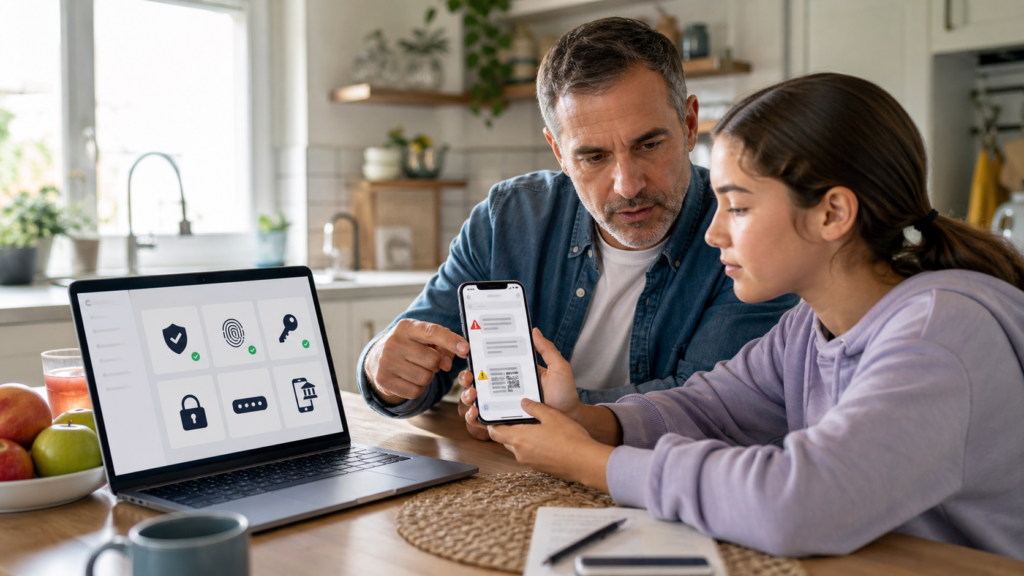
The hard part is that scam messages no longer look as clumsy as they used to. AI tools can help criminals write fluent English, imitate a company tone, translate scams into multiple languages, personalize a message from leaked data, or generate a convincing conversation script. A text that mentions a real school, package, bank, toll road, job application, airline, hospital bill, or family name can feel believable even when it is fake.
This guide is for parents, teens, college students, grandparents, and anyone who is the informal tech-support person for a household. It connects text-message safety to account security, passkeys, browser profiles, payment habits, backups, and AI-era verification. If your family has not set up safer login yet, read abcnote’s passkeys or password managers guide and passkeys setup guide after this article. If you use AI tools or browser agents, abcnote’s AI browser agent safety guide explains why limited permissions and human review matter.
AI scam texts in one minute
| Signal | Why it matters | What to do |
|---|---|---|
| Urgent money request | Scammers want emotion to outrun verification | Pause and call the person or company using a saved contact or official website. |
| Unexpected link | A link can lead to a fake login, fake payment page, malware prompt, or tracking page | Open the official app or type the official site yourself instead of tapping. |
| Package, toll, bank, tax, school, or medical alert | These topics create believable pressure because they fit real life | Check the official app, statement, portal, or phone number already on file. |
| Voice note or call after the text | AI voice cloning can make a fake emergency feel personal | Use a family code word or call back through a trusted number. |
| QR code in a message or flyer | QR codes can hide the destination until after scanning | Treat QR codes like links. Verify the source before opening. |
| Request for gift cards, crypto, wire, Zelle, Cash App, or payment-app transfer | Fast irreversible payments are a common scam pattern | Stop. No legitimate emergency requires secrecy and instant irreversible payment. |
What changed with AI scam texts
Smishing has existed for years, but AI changes the quality and speed of the attack. Criminals can generate better wording, test different versions, and adapt the message to a target. Instead of a broken sentence with obvious spelling mistakes, a family may receive a polished message that sounds like a bank, delivery company, school office, recruiter, marketplace buyer, travel provider, or customer-support agent.
AI also makes impersonation easier. A scammer can combine data from old breaches, public social media, marketplace listings, and copied profile details. The message may mention a real city, a recent trip, a school event, a job search, or a family relationship. That does not make it real. It means the scammer had enough context to write a better hook.
The most dangerous version is the two-step scam. First, a text creates urgency: a child is in trouble, a package is stuck, a bank account is locked, a toll is unpaid, a phone is broken, or a job offer is expiring. Second, the scammer moves the victim to a link, call, payment app, remote-support session, QR code, or account-reset page. The text is just the door.
Old clue
Bad spelling and strange grammar used to be a common warning sign. It still matters, but it is no longer enough.
New clue
The message creates pressure, secrecy, or a one-click path to money, login, remote access, or account recovery.
Family rule
No one gets in trouble for asking, checking, or slowing down. Scammers win when family members feel embarrassed or rushed.
Best habit
Use a second channel: official app, saved phone number, bookmarked website, in-person check, or a known family contact.
The family pause rule
Every household needs one sentence that is easy to remember under stress: pause, verify, then act. Do not argue with the message. Do not click to prove it is fake. Do not reply with personal information. Do not send a screenshot containing account numbers or codes to a group chat. First pause. Then verify through a separate channel that the scammer does not control.
A separate channel means a saved phone number, official app, browser bookmark, card-back phone number, school portal, bank branch number, existing family group chat, or in-person conversation. It does not mean calling the number inside the suspicious text. It does not mean following the link and checking whether the page looks professional. Fake pages look professional now.
The family pause rule works because it removes the scammer’s strongest weapon: momentum. A legitimate bank, school, delivery company, medical office, or family member can survive a five-minute verification delay. A scam depends on the victim moving before thinking.
Common AI scam text scenarios
| Scenario | What it sounds like | Safer response |
|---|---|---|
| Fake bank alert | Your debit card has been locked. Tap here to restore access. | Open the bank app directly or call the number on the card. |
| Fake package delivery | Your package cannot be delivered because of an address issue or small fee. | Use the carrier’s official app or tracking page you already trust. |
| Fake toll or parking fee | Unpaid toll balance. Pay today to avoid penalties. | Go to the official state or city toll website yourself. |
| Fake family emergency | Mom, I broke my phone. Please send money to this new number. | Call the family member, use a code word, or verify through another relative. |
| Fake school or activity message | Your child needs an urgent payment or form before pickup. | Use the school’s official portal or known office number. |
| Fake job or marketplace buyer | We need a verification code, deposit, or shipping fee to continue. | Never share one-time codes. Keep marketplace payments inside the official platform. |
| Fake medical or insurance bill | Your claim is pending. Pay now or coverage stops. | Check the official insurer, hospital portal, or mailed statement. |
Set up a family verification code
A family verification code is a low-tech defense against high-tech pressure. It is a private word or question that family members can use when a text, call, or voice note claims there is an emergency. It should not be a birthday, pet name, school name, or anything visible on social media. It should be easy enough to remember and odd enough that a scammer cannot guess it.
For example, a family might agree that any urgent money request must include the code word, and if the person cannot say it, everyone stops and calls back through a known number. The code does not replace common sense. It gives a stressed parent, teen, or grandparent a simple script when emotion is high.
- Choose a code word that is not public and not obvious.
- Teach children and older relatives that the code is for urgent verification only.
- Do not write the code in a shared note titled family emergency code.
- Review the code after a real scare, phone loss, or family change.
- Use the code with voice calls too, because voice cloning can make emergencies sound real.
Do not tap surprise links
The most practical text-scam rule is also the least glamorous: do not tap surprise links. A link can imitate a bank, delivery company, school portal, government page, Apple ID login, Google login, Microsoft login, payment app, or crypto wallet. It can ask for a password, one-time code, Social Security number, card number, address, or remote-support permission. It can also pressure the user to install an app or configuration profile.
The safer move is to open the official app already installed on the phone, type the official site into the browser, use a password-manager bookmark, or call a known number. This is why a password manager helps even for non-technical families: it is not only about remembering passwords. It can reduce fake-site risk because the saved login usually does not autofill on a lookalike domain.
If a message claims to come from a company, look at the domain before doing anything. A real-looking page with a strange domain is not safe because the logo looks right. Scammers can copy logos, page layouts, colors, and wording. Trust the route, not the design.
Protect the accounts that scammers want most
AI scam texts usually try to reach one of a few outcomes: money transfer, account takeover, identity theft, malware installation, remote access, or more personal data. The most important accounts deserve the strongest login protections: main email, Apple Account, Google Account, Microsoft account, bank, brokerage, phone carrier, school portal, health portal, password manager, and cloud photo/storage account.
Turn on two-step verification or passkeys wherever possible. For high-risk accounts, consider phishing-resistant options such as passkeys or security keys when supported. Google, Apple, Microsoft, and other major platforms provide official setup guidance. The key family point is this: a scam text is less damaging when a stolen password alone is not enough to enter the account.
| Account | Why it matters | Minimum family protection |
|---|---|---|
| Main email | Controls password resets for many other accounts | Strong unique password, passkey or 2-step verification, recovery info checked. |
| Apple/Google/Microsoft | Controls phone backups, photos, cloud files, app stores, and device recovery | Passkey or 2-step verification plus current trusted devices. |
| Bank and payment apps | Direct money movement | App alerts, biometric lock, no shared login, no one-time-code sharing. |
| Phone carrier | SIM swap and number takeover risk | Carrier PIN, account lock if available, strong login. |
| Password manager | Protects many accounts at once | Strong master password, biometric convenience, emergency recovery plan. |
| School and health portals | Sensitive personal data and payment hooks | Use official portals and avoid links from surprise texts. |
Teach teens the code-sharing rule
One-time codes are not meant to be shared with a person in a chat. A common scam tells the victim that a code is needed to verify a sale, unlock an account, prove identity, or help a friend. In reality, the code may be for logging into email, resetting a password, taking over a phone number, or hijacking a social account.
The family rule should be blunt: no one gets a one-time code from you through text, chat, DM, marketplace message, or phone call. Not a buyer. Not a recruiter. Not a bank employee who called you. Not a delivery company. Not a friend whose account may already be compromised. If a code arrives, read what the code message says and stop.
Payment rules that prevent panic transfers
Scammers like irreversible payment methods because they are hard to undo. Gift cards, cryptocurrency, wire transfers, instant payment apps, and bank-to-bank transfers can move money faster than a family can recover from the mistake. A household should agree in advance that no urgent text can authorize a fast payment by itself.
No secrecy
A request that says do not tell anyone is a major warning sign. Real family emergencies can handle verification.
No gift cards
Legitimate companies, schools, and government agencies do not need gift card codes by text.
No payment-app rush
If a stranger, buyer, landlord, recruiter, or fake relative pushes instant payment, slow down and verify.
No remote control
Do not install remote-support apps or screen-sharing tools because a text message told you to.
What to do when someone clicked
The response depends on what happened. A tap alone is different from entering a password, sharing a one-time code, installing an app, sending money, or giving remote access. The fastest safe move is to write down what happened without shame: link tapped, page opened, password entered, card entered, code shared, app installed, money sent, or files exposed. Then protect the highest-risk accounts first.
| What happened | First action | Next action |
|---|---|---|
| Tapped a link but entered nothing | Close the page and do not download anything | Watch for follow-up messages and report/delete the text. |
| Entered a password | Change that password from the official site or app | Turn on 2-step verification and change reused passwords elsewhere. |
| Shared a one-time code | Assume the account may be compromised | Change password, revoke sessions, check recovery info, contact the provider. |
| Entered card or bank data | Call the bank using the number on the card or official app | Freeze/replace card if needed and monitor transactions. |
| Installed an app/profile | Remove it and run device security checks | Back up important data and get help if the phone behaves strangely. |
| Sent money | Contact the bank/payment platform immediately | Report to IC3, FTC/IdentityTheft.gov as relevant, and local authorities if needed. |
If identity information was exposed, IdentityTheft.gov can help create a recovery plan. If a cyber-enabled fraud caused loss, the FBI’s IC3 is the main U.S. reporting channel. Reporting may not instantly recover money, but it creates records that help investigations and may support bank or platform escalation.
Set phone defaults for safer family use
Phone settings cannot solve every scam, but they reduce noise and make mistakes less likely. Turn on spam filtering where available. Keep the operating system updated. Use the official app stores. Lock the phone with biometrics and a strong passcode. Hide message previews on the lock screen if sensitive codes appear there. Enable bank and card alerts. Review notification permissions for apps that do not need them.
Families with children or older relatives should also simplify the phone. Remove unused payment apps. Pin important contacts. Bookmark official bank, school, delivery, and health portals. Put the password manager and authenticator in a known place. Set browser profiles or separate browsers for banking and school if that helps the household avoid random links; abcnote’s browser profile setup guide explains that separation habit.
AI tools need boundaries too
A family may be tempted to paste a suspicious message into an AI chatbot and ask whether it is real. That can be useful for a second opinion, but it has limits. Do not paste full account numbers, medical details, one-time codes, private family information, or screenshots containing personal data into random tools. AI can help explain warning signs, but it cannot verify a bank account, delivery record, school bill, or family emergency by itself.
Use AI as a teaching tool, not as an authority. Ask it to list red flags in a generic version of the message. Then verify through the official channel. This is the same practical distinction abcnote makes in the AI agent vs chatbot guide: AI can assist judgment, but it should not receive unnecessary access or make high-risk decisions alone.
A 15-minute family setup plan
| Minute | Task | Result |
|---|---|---|
| 0-3 | Choose a family verification code and emergency callback rule | Everyone knows how to verify a scary message. |
| 3-6 | Review the no-link and no-code-sharing rule | Texts cannot directly trigger logins or payments. |
| 6-9 | Turn on passkeys or 2-step verification for main email and phone accounts | Stolen passwords become less useful. |
| 9-11 | Enable bank/card alerts and carrier account PIN if available | Money and phone-number attacks are easier to spot. |
| 11-13 | Bookmark official bank, school, delivery, and health portals | Family members have a safe route instead of tapping links. |
| 13-15 | Decide who to ask before paying, installing, or sharing a code | The household has a human review loop. |
When to preserve evidence
Most scam texts can be deleted after reporting, but preserve evidence when money was sent, identity information was exposed, an account was taken over, or someone is being repeatedly targeted. Take screenshots that show the sender, date, message, link, payment request, and any transaction reference. Do not share those screenshots casually in public or with unnecessary personal details visible.
For serious incidents, write a short timeline: when the message arrived, what was clicked, what was entered, what was paid, what accounts were changed, and which companies were contacted. This helps banks, platforms, law enforcement, and identity-theft recovery steps. It also helps the family learn without blaming the person who was targeted.
Source notes and date checked
Sources were checked on July 23, 2026. Scam tactics, reporting pages, and account-security settings change over time, so use official sources for the latest reporting and setup details. The practical advice in this article is based on CISA phishing guidance, FBI IC3 reporting, FCC smishing warnings, major account-security support pages, and identity-theft recovery resources.
- CISA: Recognize and Report Phishing
- FBI IC3 2024 Internet Crime Report
- FCC: Avoid the Temptation of Smishing Scams
- Google Account Help: Turn on 2-Step Verification
- Apple Support: About Security Keys for Apple Account
- Microsoft Support: Protect yourself from phishing
- IdentityTheft.gov: Report Identity Theft and Get a Recovery Plan
- FTC Consumer Advice: How to Recognize and Avoid Phishing Scams
- FBI: Scams and Safety
- CISA: Secure Our World
Bottom line: make verification normal
The best defense against AI scam texts is not paranoia. It is a normal household habit. Pause before tapping. Verify through a separate channel. Never share one-time codes. Protect the accounts that control money, email, devices, and recovery. Make it easy for children, parents, grandparents, and partners to ask for help without embarrassment.
AI will keep making scam messages smoother. Families can still win by making the decision process slower, more boring, and more repeatable. A scammer wants urgency, secrecy, and a direct path to money or login. A safer family uses verification, passkeys, official apps, human review, and clear reporting steps. That small routine can prevent a very expensive mistake.
Finally, protect the aftermath. If a scam leads to data loss or device compromise, recent backups make recovery less stressful. abcnote’s personal backup strategy guide is a useful next step after the account-security basics are handled.
Urgency should trigger a known-number callback
Imagine a message claiming that your child broke a phone and urgently needs a transfer. The story can be plausible even when the identity is false. Use a contact route you already possessed before the message arrived.
| Situation | Next check | Why it changes the decision |
|---|---|---|
| Sender supplies a new number | Call the previously saved number or another known family contact. | The message cannot verify itself. |
| Voice sounds familiar | Ask to continue through an independently known route. | A familiar-sounding voice is not enough evidence. |
| Money has already been sent | Contact the payment provider promptly and retain the transaction record. | More conversation with the sender can delay useful action. |
This is a hypothetical identity check, not a claim about a real family emergency. Make the rule a normal habit so a genuine urgent situation can still be handled calmly.